
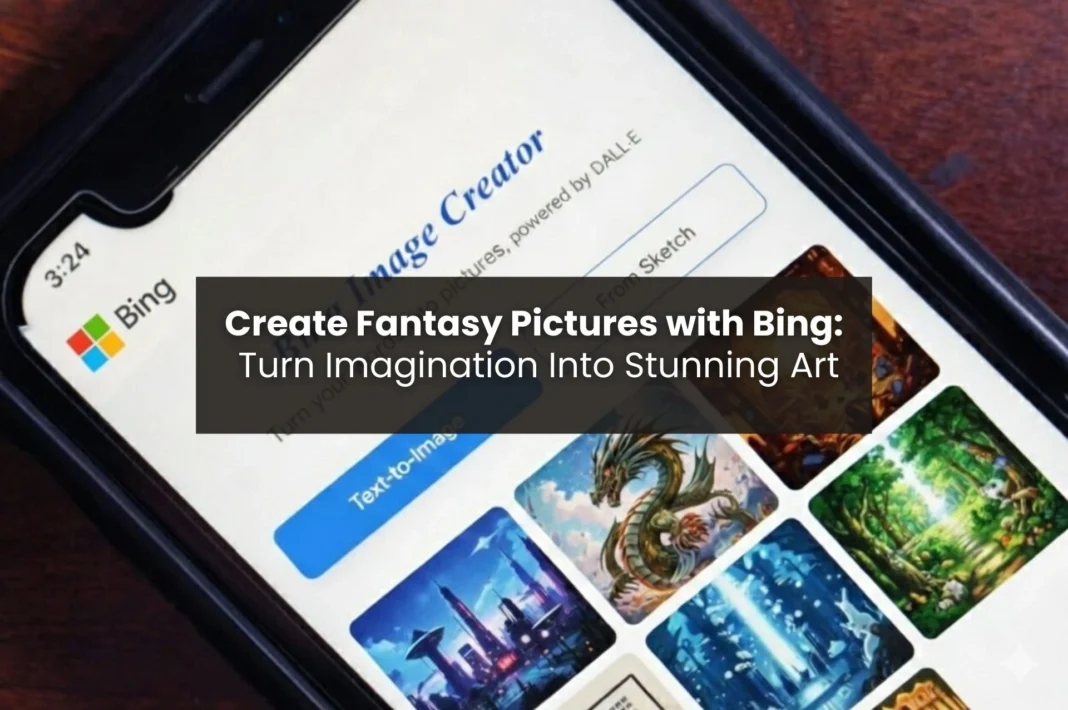
Unleash Your Imagination with Bing Image Creator
Have you ever dreamed of creating a dragon, an enchanted forest, or a magical castle without actually picking up a paintbrush? With the help of AI, you can now easily create those vision images using Bing Image Creator to turn your ideas into beautiful artwork in only a few clicks.
Bing Image Creator allows both beginners and experienced creators to produce quality images without having advanced skills or experience. This article describes how to create an image with Bing, provides detailed instructions on writing good prompts for your image creations, and offers pre-made prompts so that you can quickly start creating.
Why Use Bing Image Creator for Fantasy Art
Using Bing Image Creator, any user (beginner or pro) can easily create amazing pieces of art with no experience in graphic design. As well as providing the ability for professional designers to develop design concepts quickly and create content more rapidly.
There are multiple styles available, including but not limited to epic cinema-style art, soft fairytale-style illustration, and dark fantasy-style aesthetic. Users have plenty of creative freedom when using different prompts, mood settings, and artistic styles to create their artwork.
Another benefit of using Bing Image Creator is the speed with which designs can be generated. There’s no need to go through extensive software training or read numerous tutorials before being able to actually start creating artwork! Users can hit the ground running immediately and have much more time to devote to brainstorming and exploring different kinds of ideas while they’re developing their designs.
Turn Your Imagination into Fantasy Art with Bing
Step 1: Access Bing Image Creator
It’s easy to start using Bing Image Creator! Simply launch it in the web browser or mobile device, and login with a Microsoft account. There are free usage options available with daily limits, so you can try it for free!
Once logged in, you can start producing your first fantasy images with Bing.
Step 2: Understand Fantasy Art Prompts
A prompt is a short instruction that lets the AI know what type of image you would like it to create, similar to a magic wand. The more descriptive and specific your prompt, the better your final image will look.
An example of a good fantasy prompt includes the following components:
- Character(s): (e.g., a knight, sorceress, or dragon) and their environment (e.g., an enchanted forest, a floating island, and a mystical lake).
- Atmosphere: overall feeling of the image (dark, magical, epic, peaceful).
- Artistic style: (e.g., ultra detail, cinematic, and fantasy concept art).
It is important to remember that the AI interprets your prompt as stated. Carefully selecting your words is essential to bringing your fantasy world to life!
Step 3: Input Prompts and Generate Images
Type your descriptive prompt into the box and click generate. Start simple, then build complexity as you experiment.
- Adjust details like perspective, lighting, and color tones to improve visual impact.
- Add descriptive terms such as “cinematic lighting,” “high detail,” or “fantasy concept art” for richer results.
- Generate multiple variations to explore different interpretations of the same idea.
Step 4: Refine and Customize Your Fantasy Image
Don’t panic if your first result isn’t perfect. Tweak your input just a bit (add or remove some parts), and try again to generate a better image.
You can use filters/adjust the color & composition to get to exactly what you envisioned as well! Part of the enjoyment of creating images is the process of iteration; often, very minor changes can result in a significant difference in appearance, going from “that’s nice” to “that looks incredible!”
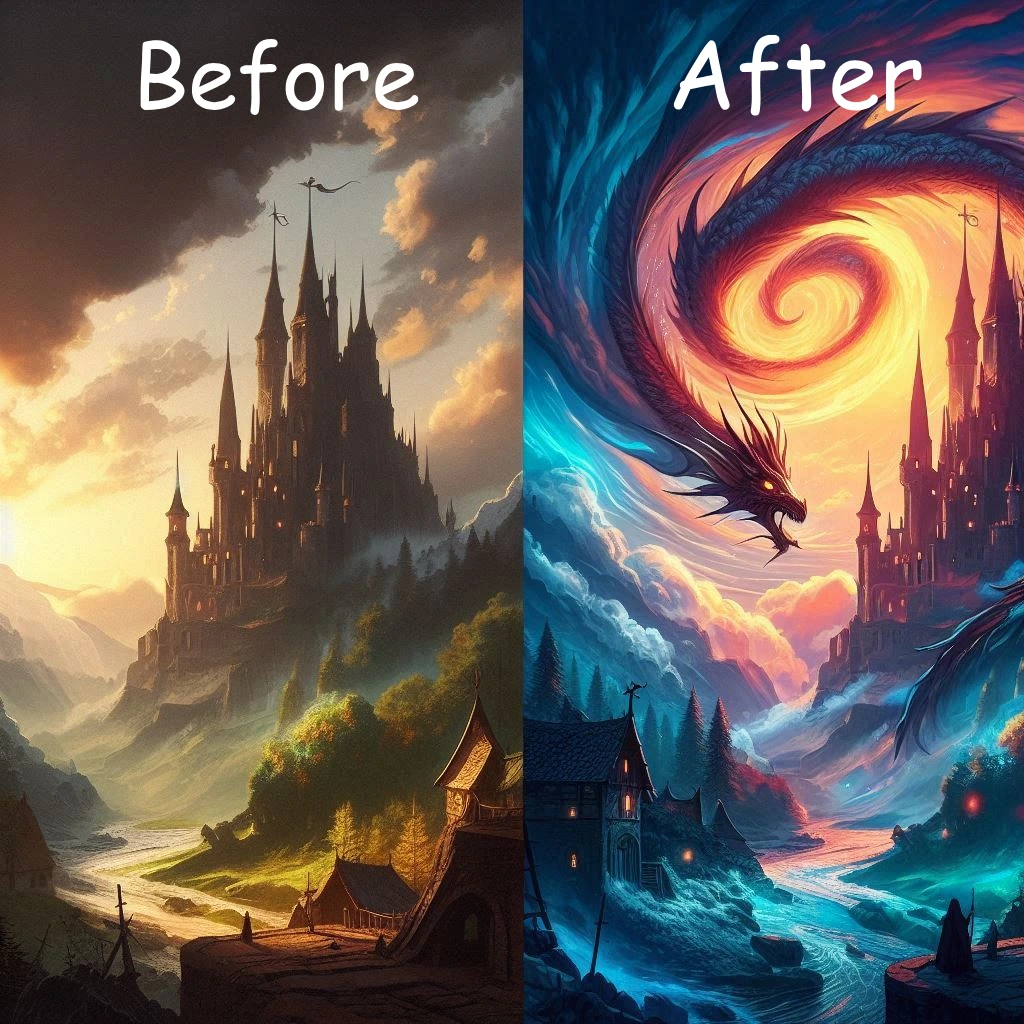
Prompt used: A split-screen before-and-after fantasy image. On the left: a simple, flat fantasy scene with a castle and dragon, low detail, dull colors, and basic lighting. On the right: the same scene transformed with cinematic lighting, ultra-detailed textures, vibrant colors, a dramatic sky, and a fantasy concept art style. Clear contrast between basic and enhanced versions, same composition, same perspective.
Step 5: Save, Download, and Share Your Fantasy Creation
After you completed your fantasy image, you should save as much quality as possible. Share your images with others via social media. You may use images as part of stories, blogs, and/or as part of your video game concepts (if applicable). Additionally, you can simply appreciate the images you created as art.
Many creative users have used fantasy images generated by Bing to create content for Pinterest boards, YouTube thumbnails, B-roll footage, and even to inspire the next creative project.
15–20 Ready-Made Fantasy Prompts
Copy and paste these prompts to instantly create a fantasy picture with Bing:
- Above a glowing medieval city at sunset, a majestic dragon flies in cinematic fantasy art.
- A mystical forest is illuminated by floating orbs and ancient trees.
- A powerful sorceress is performing a spell in a castle as an orb of light creates an illuminating effect on her face.
- A knight wearing shining armor stands on a cliff looking down at an epic battlefield below.
- An enchanted waterfall flows down into a lake that is crystal clear in a fairytale-like fantasy style.
- A kingdom made of clouds will be built with towers of gold throughout the world and will provide a better chance for everyone to succeed.
- A single warrior is walking through a frozen fantasy world under the illuminating light of the moon.
- A beautiful, colorful phoenix rises from the ashes in a highly detailed, vibrant work of fantasy art.
- An ancient library of an old wizard is filled with books that are floating through the air and are illuminated with colorful symbols and light.
- A very dark castle is surrounded by large mist clouds and extremely dark, stormy skies.
- A fairy is sitting on top of a bright, glowing mushroom with see-through wings.
- An underwater city has been created. This city is mythical in nature and has all types of corals, sea creatures.
- A dragon knight has been riding high into the thunderous clouds in an extraordinary artwork depicting an epic action adventure.
- A magical doorway or portal has opened in an unknown set of ancient ruins.
- A royal king’s throne room has gold and crystal that is effectively illuminated and glitters and sparkle as nothing has ever seen before.
- A moonlit lake that reflects the legendary sword, ordered from water.
Bonus Tips for Stunning Fantasy Images
Provide a variety of specific examples for your prompts by using detailed information such as dragons, enchanted landscapes, epic battles, mystical beasts, enchanted forests, and/or cinematic lighting to enhance your images.
Don’t make the following mistakes:
- Use specific prompts: Mention dragons, magical landscapes, epic battles, enchanted forests, or cinematic lighting for better results.
- Avoid common mistakes: Don’t be vague or overcrowd your prompts. Keep spelling and grammar correct to help the AI interpret your idea.
- Iterate: Generate multiple variations, tweak details, and experiment with art styles like ultra-detailed or cinematic to get professional-level results.
- Test moods and colors: Small changes like “glowing sunset” vs. “dark stormy sky” can dramatically change the feel.
- Layer ideas: Combine elements from multiple images to create your ultimate fantasy masterpiece.
Bring Your Fantasy Worlds to Life with Bing
The Bing Image Creator is a tool that allows you to create stunning artwork from your imagination without having to learn how to draw. Your only limitation is your imagination.
Use your own ideas as a starting point, modify specific details, and see how those changes bring dragons, magical forests, epic battles, etc., to life in an incredibly detailed and visually accurate way. Even minor modifications can create completely different artistic possibilities.
You can start creating your digital versions of your wildest dreams at this very moment. With the help of Bing, creating beautiful digital art is just as simple as typing a few words into the prompt.
For more tips on crafting effective prompts and exploring Bing’s features, see our guide on how to use Bing Image Creator.
