
People rarely talk about how students are juggling assignments, struggling with drafting that research paper and drowning in PDF’s. You look around and see your peers nailing their projects while you’re just struggling to keep up.
You might have tried to incorporate AI tools that are built ‘for students,’ but they come with price tags that don’t fit a student’s budget. All of this combined becomes overwhelming and you start feeling like you are behind.
You are not. You just need to incorporate the right tools in your study workflow. And the best part is that the tools that I am going to list down here are the ones for which you don’t need to pay for to transform your research process.
These 5 free AI tools for students – Elicit, Perplexity AI, Consensus, SciSpace, and NotebookLM – offer free tiers that actually work for academic help. Their paid tiers exist as well, but you probably wouldn’t reach that because the outputs of the free tiers actually help you narrow down your research.
Why students need to know about these tools
Back when Google was one of the major sources of researching anything and everything, it still took people a considerable amount of time to prepare final drafts or just simple research for knowledge. There used to be 50’s of PDF’s, so many abstracts, Youtube links – and no idea if they are relevant or not.
That’s not where it ends. The real nightmare was actually understanding what the texts are saying.
But with the advent of AI tools for research and AI tutors, those long hours of busy work are being cut down, helping you focus on the subject, rather than spending time and energy on irrelevant papers. Look at them as tools that replace hours of busy work by giving you space and more time to learn something relevant.
And before you say ‘ChatGPT’ – ChatGPT is okay for research but it starts hallucinating, it doesn’t know what papers actually say. It’s extremely broad and requires precise engineer level prompting to get the results. For a student, that is an added stress over the existing tasks.
But Elicit, Perplexity AI, Consensus, SciSpace, and NotebookLM are built specifically for research purposes. These tools cite their sources and read PDFs, and also suggest additional curiosity sparking thoughts.
The 5 best free AI tools for students
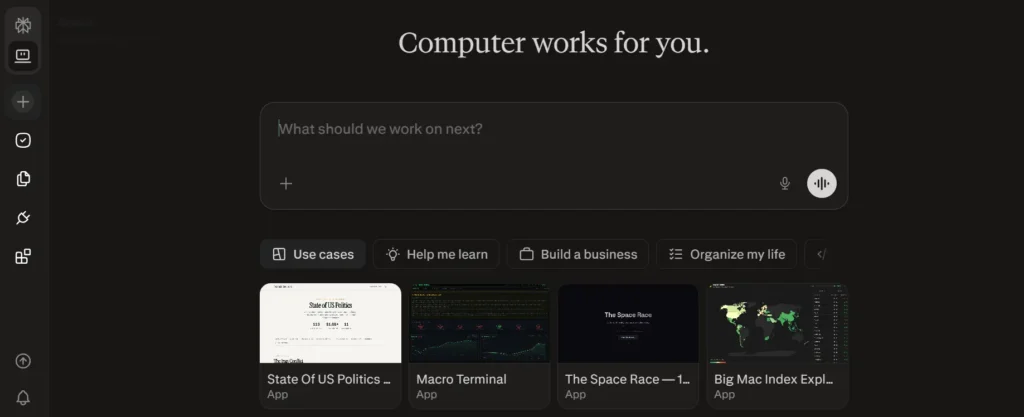
1. Perplexity AI
The Best ChatGPT Alternative for Real-Time Research
What it does: Searches the internet, finds sources, and cites everything.
Why students love it: You ask a question, you get an answer with clickable sources. For literature reviews, research proposals, or fact-checking -this is your new best friend. No more I think’ answers from AI. Here, every claim has a link you can verify.
Free tier reality: Unlimited searches. Yes, you read that right – unlimited. You can run 300 queries in a day and never hit a limit. Then, export everything to markdown. This alone makes it a legitimate replacement for ChatGPT for research purposes.
When to upgrade ($20/mo): If you need to upload documents or want priority processing. But frankly? Most students don’t need to upgrade.
Real example: Instead of spending 45 minutes on Google Scholar trying to find if – “does caffeine improve study retention in college students,” you type it into Perplexity.
You’ll get 8 relevant sources with summaries, and then move on to the next step. And it will only take 15 minutes instead of 45. Win win.
2. Elicit
Find Any Research Paper in Seconds
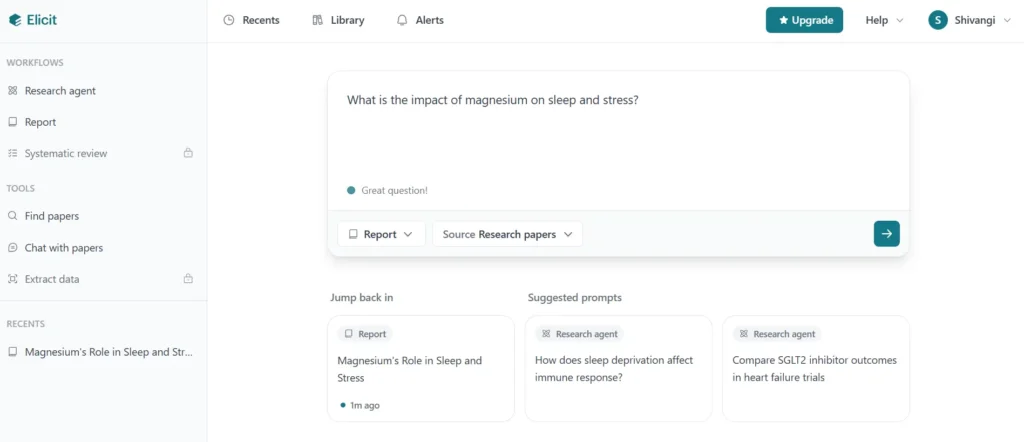
What it does: You describe what you need, it finds and summarizes relevant papers.
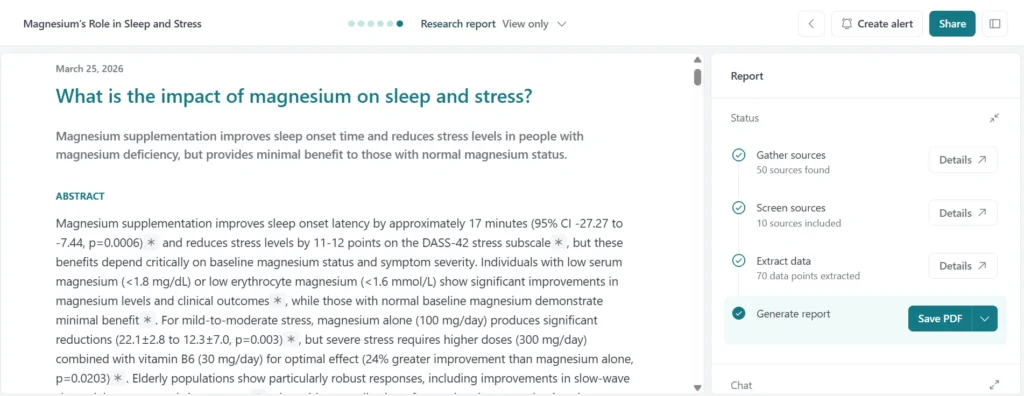
Why students love it: This is what literature discovery should feel like. You’ll ask for “Papers on microplastics in water systems for my environmental science project” → and boom, 20 relevant studies ranked by relevance. You can also chat with papers here to simplify understanding of the difficult parts of the paper.
Free tier reality: There’s about 100 searches monthly (about 3-4 per day). It might sound limiting until you realize typical semester research uses way less. You get key findings extracted without reading the full paper which saves 3 hours per paper minimum.
When to upgrade ($9/mo): Never, unless you’re writing a thesis and need unlimited searches. Even then, the free tier covers most coursework.
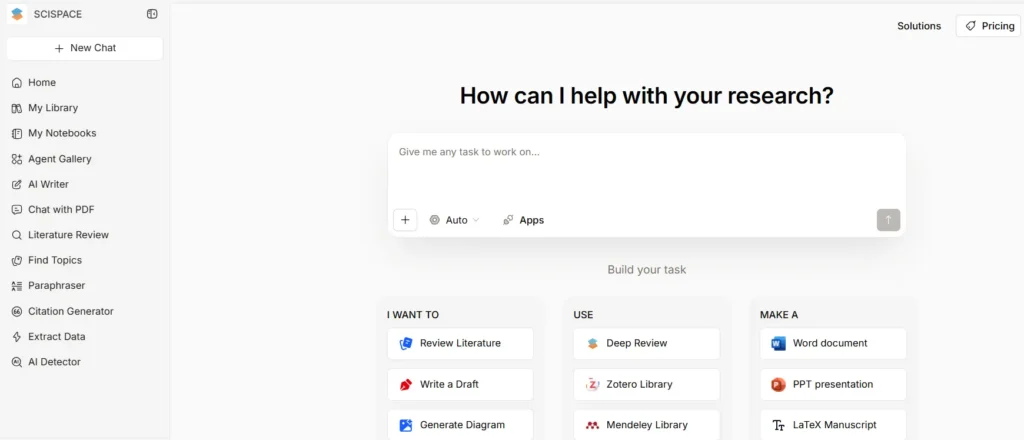
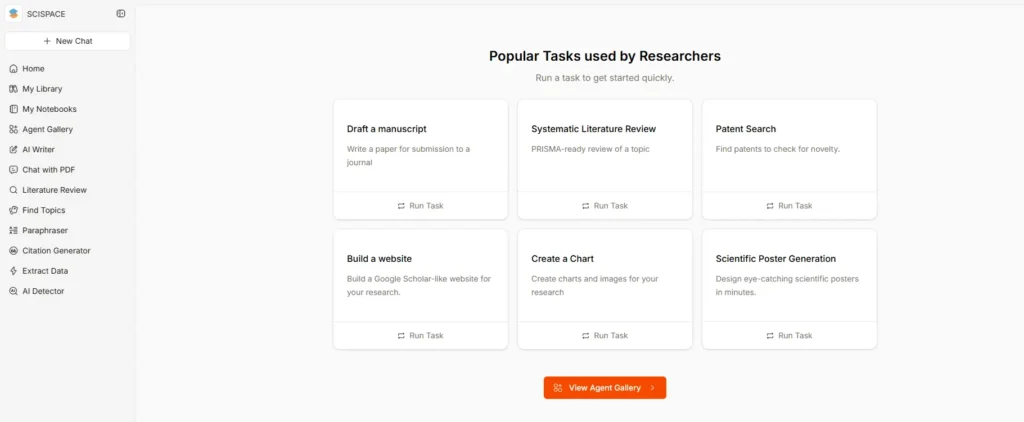
3. SciSpace
Read Confusing Papers in Plain English
What it does: You paste a PDF or a link, it explains the methodology, findings, and limitations in understandable language.
Why students love it: Academic papers are written for PhDs, not third years. SciSpace is your translator. You upload a paper here that makes your head spin, get a breakdown that actually makes sense. Click confusing terms, get definitions. Highlight key findings without reading 30 pages.
Free tier reality: Offers unlimited uploads andUnlimited explanations. One-click explanations of entire papers. This is genuinely a no limits free tool (one of the rarest in AI).
When to upgrade ($10-20/mo): For advanced document analysis, priority support. It might not be necessary for student work.
4. Consensus
Research That’s Backed by Peer Review
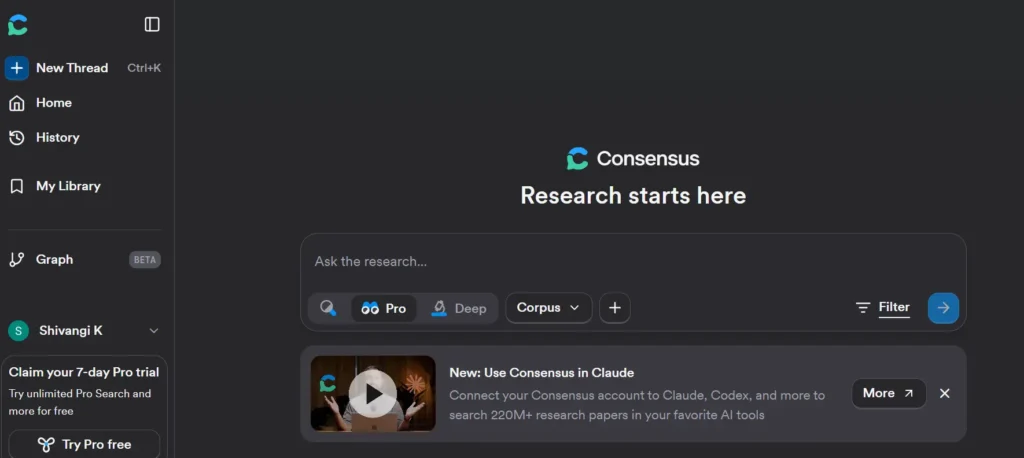
What it does: Searches 200+ million peer reviewed papers and filters by study quality.
Why students love it: Consensus shows you what peer reviewers actually think, highlighting disagreements in research. If 10 papers say X but 2 say Y, you’ll see that immediately. Not all papers are created equal, and it shows you exactly why.
Free tier reality: 100 searches monthly, full access to peer review metadata. It’s perfect for students who need evidence based research (any STEM field, social sciences, psychology etc.).
When to upgrade: Only if you’re doing serious research with thousands of papers. Regular coursework? Free tier is more than sufficient.
Use case: Writing an essay on ‘Does social media cause depression’? Consensus shows you consensus among actual researchers instead of making claims based on one paper.
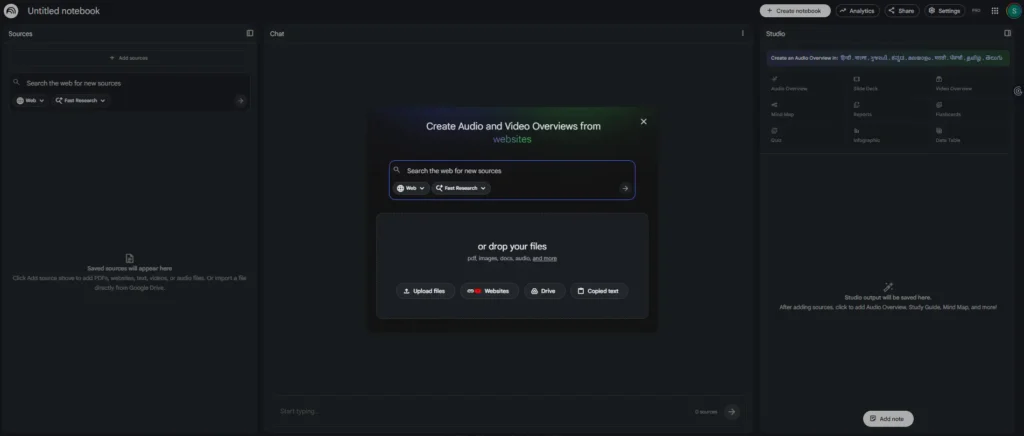
5. NotebookLM
Organize Your Research and Write Better
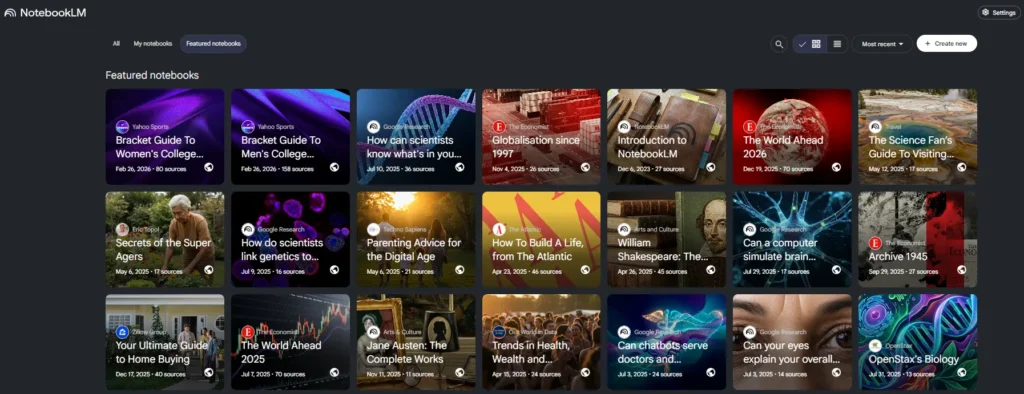
What it does: Your research notebook that understands your papers and helps you synthesize findings.
Why students love it: You upload all your sources (PDFs, Google Docs, links), it learns them, then helps you write. Ask questions about your research, get answers grounded in your sources (not hallucinations), generate outlines, identify gaps in your thinking, organize chaotic notes into coherent research.
Free tier reality: Unlimited sources, unlimited AI analysis and collaborative notes. You can organize an entire thesis research on the free tier.
When to upgrade ($20/mo): More advanced features like audio study guides. For most students, free is fine.
Which free AI tool for research should you use?
All these tools serve a different research purpose. You probably don’t need all five. But if you feel confused which one to use, here’s the real decision tree that’ll help you decide where you can start from.
- If you are stuck here – “I need to find papers fast” → Use Elicit or Consensus
- If you feel confused – “I’m confused by academic writing” → Use SciSpace
- If you need help with citations – “I need sources with citations” → Use Perplexity AI
- If you you want help with big research projects – “I’m organizing a big research project” → Use NotebookLM
- If you think you might need all – “I need all of the above” → Use them together (Don’t worry, I’ll show you how)
The student research workflow (Using free tools only)
Here’s how these free AI tools for students are helping them save hours per week. Please note that this is not a hard and fast workflow that you absolutely need to follow. This is a basic workflow to help you navigate these tools.
And once you get the hang of it, you can start implementing your own style and customise workflow.
- Monday: Find papers
Use Elicit to find papers. Just type your topic, get 15-20 relevant papers and bookmark the ones that look worth it. This will take a total of 15 mins.
- Wednesday: Understand what they say
Use SciSpace to get a basic understanding of what these papers actually say. Paste the papers you’re using into SciSpace, read the explanations, and note key findings. Boom! You just saved yourself 2 hours of reading academic jargon by spending only 20 minutes of research time.
- Thursday: Verify the claims
Use Perplexity AI to search for contradictions or recent developments. Make sure the paper isn’t outdated or disputed.
- Friday: Organize and synthesize
Use NotebookLM to generate an outline for your essay. Identify gaps in your research and start writing with confidence.
All of this combined takes a total time of 75 minutes for a strong research foundation.
Without these tools? You will be transported back to the pre AI tools era for research. The traditional research method takes 3-4 hours which is full of frustration.
What these tools actually can’t do
If you think that these AI tools are going to write the papers for you and give an analysis that has your insight in it – you are wrong.
These AI tools are research helpers and not essay writers. They can find papers for you, explain it to you in plain language, and help you organise your thoughts in a structured manner. But they cannot give the unique human insight that will make your paper different from the rest.
Trust me, if you use ChatGPT to write your text, but they won’t know if you used Elicit to find sources. They won’t know, and they won’t care.
The only rule that there is:
Using these free AI tools for research = totally fine.
But using ChatGPT to write your paper = academic integrity issue. Know the difference.
Why This Matters for Your Grades
Students that use these tools reportedly cut their research time in half in comparison with students who are still doing research the traditional way.
It’s simple mathematics – You spend 5-6 hours on research – per semester, per paper. That adds up to almost 36 hours per semester. When you incorporate AI tools that’s specifically designed for research, you get 8-12 hours out of those 36 hours, very easily.
That time gets channelised into actual studying and understanding, or sleeping like a human being (you do not need to pull all nighters for research ever again). Both of these are valuable for you to function in today’s world.
When you read papers that are actually good, know that these papers read so well because the writer actually understood the sources, instead of just skimming them. Professors can actually catch when you clearly understood what you’re citing versus when you clearly didn’t.
Start today (It literally just takes 30 seconds)
Go through the tools above and pick whichever one sounds the most helpful for whatever task you’re on right now. Just sign up without thinking of anything. There’s literally just a welcome email. No taking out credit cards, no weird hidden charges.
Once you’ll run one search on your topic, just see the magic. You will immediately see the difference in how much time you saved. And suddenly, the AI tools saving time will start making sense to you as well.
When you’re ready, try another tool if you want and just start building your research system gradually. It will only work best once it adapts to your style of researching.
Trust me, for your next research paper, try incorporating even one tool and you’ll see for yourself. You’ve got this!
And if you’re still choosing? Start with Perplexity AI (feels most like ChatGPT, unlimited free searches) or SciSpace (if you have a confusing paper right now). Both take 30 seconds to try and have very easy interfaces.
Your research game is about to beat everyone else’s game. All the best.
Last Updated: March 2026 | All tools verified for free tier access and student use.
