

Why the Claude AI coding assistant gaining massive popularity
AI is having an impact on how application developers create, debug, release, and ship their apps. Where previously it took an hour to achieve a task such as troubleshooting bugs or repetitive coding tasks, application development has now been accelerated by the AI tools available for developers’ use. For example, ChatGPT Codex recently wrote 3 million lines of code in just 7 days; see how GPT-5.2 Codex did it.
In addition to code generation, Claude, the AI coding assistant, enhances the developer’s workflow by giving them a better context and way of thinking about the problem they are trying to solve. Claude improves the efficiency of the developer’s actions while helping the developer do his job faster.
What is the Claude AI coding assistant, and how does it actually work?
Claude AI Coding Assistant serves as an AI-driven resource to facilitate developers’ code production, comprehension, & enhancement; by employing advanced language models, this AI-driven application can correctly interpret prompts & produce valid outputs.
The Claude AI Coding Assistant is one tool among many in the expanding ecosystem of AI coding assistants, including GitHub Copilot, among others; Claude emphasizes improved clarity, improved depth of thought/reasoning, and increased ability to process longer contexts (i.e., more complex tasks).
Why the Claude AI coding assistant stands out among the best AI coding assistant tools
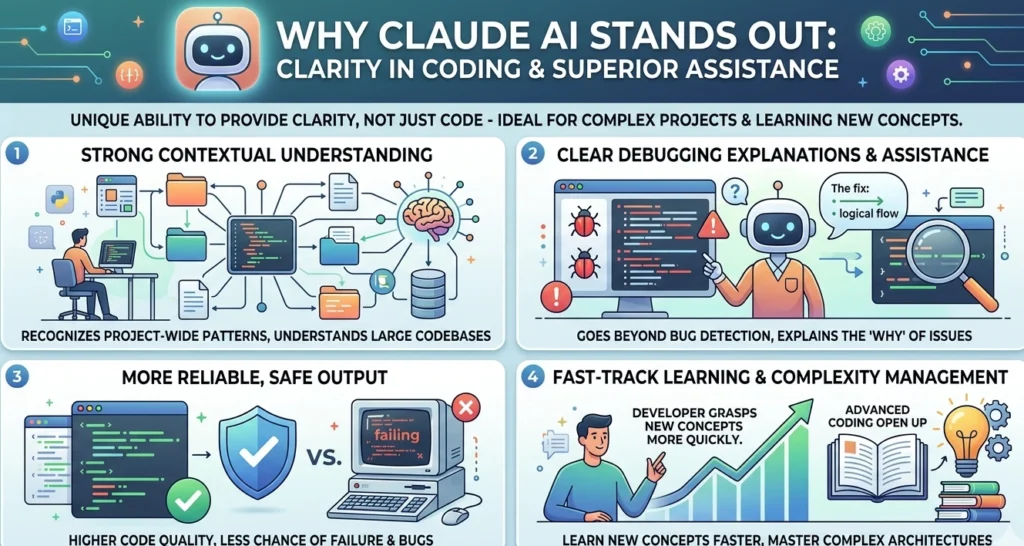
Claude is unique among others in its ability to provide clarity in coding versus just producing it. Therefore, this is especially helpful when coding on a complex project or when learning about a new concept.
Some of the high points for Claude’s advantages include:
- A large repository of code has strong contextual understanding.
- Will provide a debugging explanation that is clear and will assist you in debugging.
- More reliable output, which is safe; therefore, there is less chance of failure.
These benefits will make it one of the top AI coding assistant tools on the market today.
Claude Code vs ChatGPT Codex: which AI coding assistant is actually better?
| Feature | Claude Code (Anthropic) | ChatGPT Codex (OpenAI) |
|---|---|---|
| Core Approach | Focuses on deep reasoning and understanding code | Focuses on speed and execution |
| Best For | Clarity, reasoning, and debugging | Fast coding, automation, production tasks |
| Coding Style | Detailed, structured, well-explained code | Concise, efficient, production-ready code |
| Context Handling | Strong long-context understanding (large codebases) | Debugging, refactoring, and complex systems |
| Workflow | Works locally with terminal and Git integration | Good, but optimized for shorter, faster tasks |
| Performance | Better for complex logic and architecture | Better for rapid execution and iteration |
| Use Cases | Cloud-based with a smooth ChatGPT ecosystem | APIs, quick builds, repetitive coding |
| Speed | Slightly slower but more thoughtful | Faster and more efficient |
| Cost Efficiency | Higher resource usage for deep tasks | More cost-efficient for routine tasks |
| Ease of Use | Learning curve for advanced workflows | Easier for beginners and quick use |
| Strength | Clarity, reasoning, debugging | Speed, automation, scalability |
| Weakness | Can be slower and resource-heavy | Less detailed explanations |
Quick Verdict:
- Select Claude Code if your needs include in-depth analysis, debugging, and understanding complex code bases.
- Select ChatGPT Codex if your requirements include fast turnaround times, automated processes, and delivery of finished product(s) that are ready for immediate use.
Before making your choice between Claude Code and ChatGPT Codex, it’s useful to see the full pricing and plan details for Claude AI to understand which tier fits your development needs.
Top Claude Code use cases that developers are already using today
A lot of developers are using Claude for coding tasks (to make development easier and less manually intensive).
Here are some ways Claude Code can be used:
- Generate new code
- Troubleshooting/debugging complex problems
- Help document processes
- Refactor or rewrite existing code
- Automate repetitive tasks
How the Claude AI coding assistant improves productivity for developers and teams
Claude has drastically decreased the amount of time it takes to do coding. That enables developers to concentrate more on logic and less on their busywork.
Some advantages for teams include:
- Speeding up the development cycle
- Better collaboration
- Less time wasted debugging
Therefore, Claude is an incredible AI coding resource, whether an individual is using it or an organization is using it.
Best AI coding assistant features in Claude that you should start using now
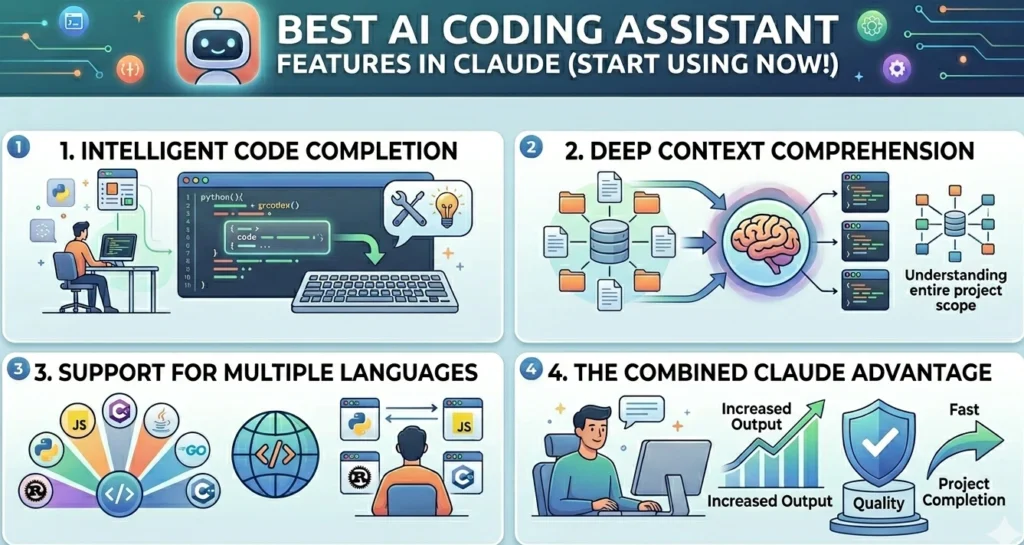
Claude has many features that can help you increase your productivity as a developer. They enable you to produce great quality code in less time!
Some of the main features include:
- Intelligent code completion
- Deep comprehension of the context of your code
- Support for multiple languages
With all these features combined, you will be able to succeed using Claude as an AI coding assistant.
Claude Code uses cases that go beyond coding and into real-world problem-solving
Claude can do much more than just write code. It can also help with solving larger technical and business problems.
There are many non-coding things that Claude can help with:
- Generating new or supplementary content.
- Analyzing data.
- Automation of a business process.
The extended use cases for Claude Code demonstrate how Claude is a versatile AI tool.
Beyond coding, Claude can help with content generation and optimization. Learn how to use Claude AI SEO prompts to boost search rankings.
How to choose the best AI coding assistant for your needs in 2026?
Dependent on your aim and work, the selection of the best tool will differ based on its use within development, due to the fact that they have so many uses in creating software.
When deciding on what tool to use, consider the points below:
- Utilise Claude for tasks requiring complex reasoning
- Utilise other tools if needing a focus on rapid delivery
- Create a linkage between the tools you use and your project requirements
By following these guidelines, you will make the correct selection of which AI coding assistant will best meet your needs.
Limitations of the Claude AI coding assistant you should know before using it
Claude has many strengths, but he also has limitations that developers need to know before fully relying on him to provide services.
Known limitations are as follows:
- Sometimes he isn’t accurate in his work
- Reliance upon output from AI
- Learning curve for newbies to use the application
Knowing these limitations will allow you to use the tool effectively.
Future of AI coding assistant tools and where Claude Code is heading next
AI coding tools will continue to evolve rapidly in the coming years. They will become more accurate, faster, and deeply integrated into workflows.
Claude is expected to improve its reasoning and expand its capabilities. It will play a major role in shaping the future of AI coding assistant tools.
Why the Claude AI coding assistant is becoming a must-have tool
Claude is gaining rapid acceptance as an indispensable resource for contemporary developers. It increases productivity by shortening the development cycle, enhancing code quality, and assisting in lesser- or greater-extending capabilities of software applications.
Claude is a superior AI-based coding application with exceptional reasoning and applicable Claude Code instances; it is emerging as a leading source of productivity for programmers. Coders can program more quickly, resolve issues more simply, and concentrate on those issues that are most important.
If you want to explore more about learning AI, check out our complete guide on Anthropic’s free AI courses for 2026.
FAQs
The Claude AI coding assistant is an AI-powered tool that helps developers write, debug, and optimize code. It stands out from other AI coding assistant tools because it focuses on deep reasoning, better context understanding, and clearer explanations rather than just generating quick code.
Claude works well for both beginners and professionals. Beginners benefit from its detailed explanations, while experienced developers use it for complex tasks, making it one of the best AI coding assistant options available.
Common Claude Code use cases include code generation, debugging, documentation writing, refactoring, and automation. It is especially useful for handling complex systems and large codebases.
No, an AI coding assistant cannot fully replace human developers. It enhances productivity and speeds up development, but human creativity, logic, and decision-making are still essential.
