

Why learning in 15 minutes a day works like magic
Let’s get real: who has time to study for hours a day? Between work, social life, and just keeping it together, the thought of learning something new can be daunting. But here’s the good news: You don’t need hours. You just need 15 minutes.
Microlearning, a.k.a. short, intense learning sessions, has been shown to increase retention by as much as 60%! Giants like Google and IBM rely on it to train their staff, and now you can use it to master the most sought-after skills of 2026.
And here’s the best part? These five revolutionizing apps make learning so effortless that it’s like scrolling social media, except you learn something worthwhile.
If you want to boost your productivity even further, don’t miss our guide to the top AI tools powering content, learning, and automation. It covers some of the best AI-powered platforms that can help you learn faster, create content more efficiently, and automate everyday tasks alongside the learning apps featured in this list.
Best learning apps compared at a glance
| App | Best For | AI Features | Offline Access | Free Plan | Starting Price |
|---|---|---|---|---|---|
| Duolingo | If you want to learn a new language | AI-powered conversations (Max) | Yes | ✅ Yes | $6.99/month |
| Headway | If you prefer quick book summaries | AI-powered recommendations | Yes | 7-day free trial | $14.99/month |
| Coursera | If your goal is career growth | AI-enhanced learning and recommendations | No | ✅ Yes | $9.99/project or $39/month for Specializations |
| MasterClass | Meanwhile, for learning from world-class experts | AI-powered search and recommendations | No | ❌ No | $10/month (annual billing) |
| Skillshare | Similarly, for creative and business skills | AI-powered class recommendations | Yes (Premium) | 7-day free trial | $13.99/month (billed annually) |
| Khanmigo | If you need an AI tutor | AI-guided tutoring | No | Limited free access | Pricing varies |
| NotebookLM | On the other hand, for studying your own notes | AI summaries, Q&A, Audio Overviews | No | ✅ Yes | Free (premium AI plans available) |
| Synthesis | If you enjoy interactive learning | AI-powered problem-solving | No | ❌ No | $20/month |
| Notion AI | Furthermore, for organizing study notes | AI writing and note summaries | Partial | ✅ Yes | AI add-on from $10/month |
| LinkedIn Learning | Finally, for professional upskilling | AI course recommendations | No | 1-month free trial | $39.99/month |
Prices listed as of July 2026. Please check the official website for the latest pricing.
Best apps to learn new skills in 2026
1. Duolingo: Learn a new language without even trying

Ever wanted to speak French, Spanish, or maybe even Japanese? Duolingo makes language learning a game. Learn vocabulary, pronunciation, and even grammar in just 15 minutes of practice every day.
Features:
- Fun, like it’s a game
- Customized lessons adjusted according to your progress
- Open source (with a premium version option)
Pricing:
- Free: Fewer features, but sufficient to learn a language
- Duolingo Super: $6.99/month (ad-free + additional features)
- Duolingo Max: $12.99/month (AI tutor + unlimited errors)
Ideal for travelers, job seekers, and anyone who enjoys a challenge.
Offline Access: Yes (Super and Max plans)
Best Course: Spanish for Beginners
Pros:
- Fun, gamified lessons
- Excellent free plan
- Daily learning streaks
Cons:
- Limited advanced content
- Ads in the free version
Verdict: ★★★★☆ (4.8/5) – Best language-learning app for building a daily habit.
2. Headway: Read a book’s best ideas in 15 minutes

No time to read? No problem. Headway condenses bestselling nonfiction books into bite-sized summaries that you can read or listen to in just a few minutes. As a result, you can quickly learn the key ideas from books on business, productivity, psychology, and self-improvement without reading every page. Additionally, its audio summaries make it easy to learn while commuting, exercising, or multitasking.
Features:
- Get smarter without spending hours reading
- Covers topics like business, productivity, and self-improvement
- Audio summaries for learning on the go
Pricing:
- With a 7-day free trial
- $14.99/month premium plan
- $89.99/year (with discounts usually available)
Ideal For: Entrepreneurs, self-help addicts, and busy professionals.
Offline Access: Yes
Best Content Pick: Atomic Habits by James Clear
Pros:
- 15-minute summaries
- Audio and text formats
- Great for busy professionals
Cons:
- Doesn’t replace full books
- Limited free content
Verdict: ★★★★☆ (4.7/5) – Best for learning key ideas from bestselling nonfiction quickly.
3. Coursera: Ivy League knowledge without the tuition fees

Imagine learning from top universities like Harvard and Stanford without stepping into a classroom or paying expensive tuition fees. With Coursera, that’s possible. The platform offers courses from leading universities and companies like Google and IBM, while many can be accessed for free. Additionally, learners can earn industry-recognized certificates, making it an excellent choice for building new skills and advancing their careers at their own pace.
Features:
- Learn from the best universities and companies
- Flexible learning: take courses anytime, anywhere
- Moreover, you can get certificates and boost your resume
Pricing:
- Free: Access to many courses (no certificate)
- Guided Projects: Starting at $9.99
- Certificates & Specializations: $39-$79/month
- Coursera Plus: $59/month or $399/year (unlimited courses & certificates)
Ideal for: Career climbers, job seekers, and lifelong learners.
Offline Access: No
Best Course: Google Data Analytics Professional Certificate
Pros:
- University-backed courses
- Industry-recognized certificates
- Flexible learning schedule
Cons:
- Certificates require payment
- Some courses are lengthy
Verdict: ★★★★★ (4.9/5) – Best platform for career-focused learning and certifications.
4. MasterClass: Learn from celebrities and industry legends

Want to learn filmmaking from Martin Scorsese, cooking from Gordon Ramsay, or writing from Margaret Atwood? With MasterClass, you can learn directly from some of the world’s most accomplished experts. Instead of traditional classroom lessons, the platform offers high-quality, behind-the-scenes video courses taught by industry leaders. As a result, learning feels engaging and inspiring, making it a great choice for anyone looking to develop creative, business, or leadership skills.
Features:
- Global instructors
- With Quality and entertaining videos
- Ideal for business and creative skills
Pricing:
- Individual Plan: $10/month (annual billing)
- Duo Plan: $15/month (2 devices, annual billing)
- Family Plan: $20/month (up to 6 devices, annual billing)
Ideal for: Creatives, professionals, and anyone who wishes to learn from the best.
Offline Access: No
Best Course: Writing with Margaret Atwood
Pros:
- World-class instructors
- High-quality video production
- Inspiring lessons
Cons:
- No free plan
- Limited hands-on practice
Verdict: ★★★★☆ (4.8/5) – Best for learning from industry leaders and celebrities.
If you’re planning to create videos, graphics, podcasts, or other digital content with the skills you learn, check out our guide to AI media tools and full media studio platforms. It explores all-in-one AI solutions that help creators generate, edit, and publish high-quality content faster.
5. Skillshare: Hands-on learning for creative minds

If you’re a hands-on learner, Skillshare is your best bet. Whatever your passion, like graphic design, coding, photography, or marketing, you’ll discover classes by actual industry professionals. And with most classes, including projects, you can start implementing what you learn right away.
Features:
- Project-based learning (so you remember what you learn)
- With tons of creative and business courses
Pricing:
- Free trial: 7 days
- Skillshare Membership: $13.99/month billed annually ($167.88/year)
Ideal for: Creatives, entrepreneurs, and side hustlers.
Offline Access: Yes (Premium)
Best Course: Graphic Design Basics by Ellen Lupton
Pros:
- Project-based learning
- Large creative course library
- Active community
Cons:
- Premium membership required
- Course quality varies
Verdict: ★★★★☆ (4.7/5) – Best for creative professionals and hobbyists.
Looking for more AI-powered study resources? Explore our guide to the top AI tools to excel in class and discover the best AI assistants for note-taking, homework, research, exam preparation, and boosting your overall academic performance.
6. Khanmigo: Your personal AI tutor for smarter learning
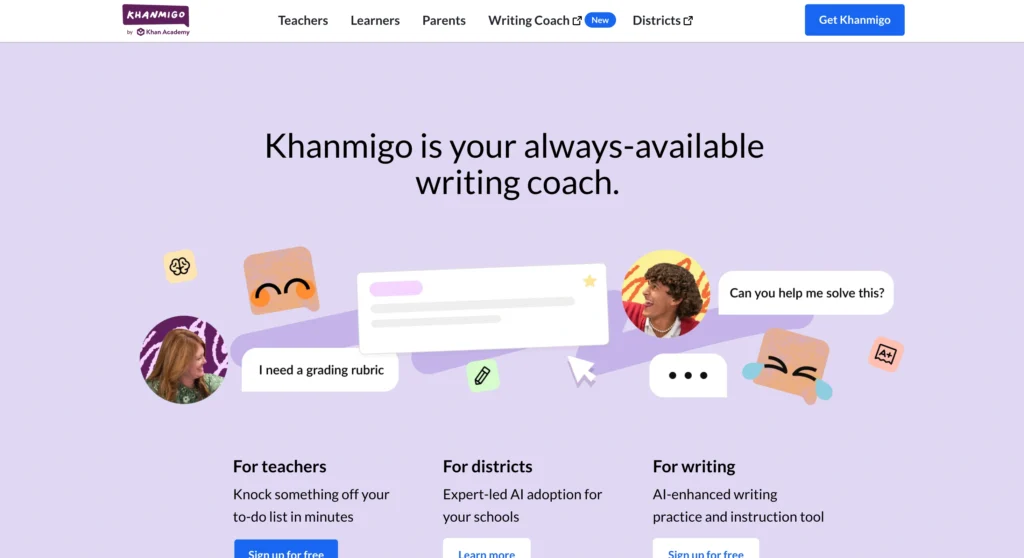
Khanmigo brings AI-powered tutoring to Khan Academy, helping students understand concepts instead of simply memorizing answers. It guides learners through subjects like math, science, coding, and writing with interactive conversations and step-by-step explanations.
Features:
- AI-powered tutoring with guided learning
- Personalized support for math, science, coding, and writing
- Step-by-step explanations instead of direct answers
- Integrated with Khan Academy courses
Pricing:
- Free access to Khan Academy courses
- Khanmigo subscriptions are available (pricing varies by region)
Ideal for: Students, parents, teachers, and anyone looking for personalized AI-assisted learning.
Offline Access: No
Best Course: Algebra 1 with Khanmigo
Pros:
- Personalized AI tutoring
- Step-by-step guidance
- Trusted educational platform
Cons:
- AI features require a subscription
- Mostly focused on academic subjects
Verdict: ★★★★★ (4.8/5) – Best AI tutor for students who want guided learning.
7. NotebookLM: Study smarter with your own notes
NotebookLM is an AI-powered study tool from Google that helps users better understand lectures, notes, PDFs, and research papers. Instead of manually reviewing lengthy documents, users can generate summaries, ask questions, and create study guides in seconds. As a result, it saves time while making learning more organized and efficient. Additionally, its AI-powered insights help users quickly find key information, making it an excellent tool for studying, research, and exam preparation.
Features:
- Import PDFs, notes, and documents
- Create summaries and study topics using AI
- Ask questions based on your own study material
- Listen to audio summaries
Pricing:
- Free plan available
- Other features available via Google AI Plans.
Ideal for: Students, researchers, writers, and professionals who need help managing their huge amount of data.
Offline Access: No
Best Content Pick: Upload your lecture notes or research papers to create AI-powered study guides.
Pros:
- Excellent document summaries
- Source-based answers
- Free to use
Cons:
- Requires your own study materials
- Not a traditional course platform
Verdict: ★★★★☆ (4.8/5) – Best AI study assistant for research and revision.
8. Synthesis: Build critical thinking through AI
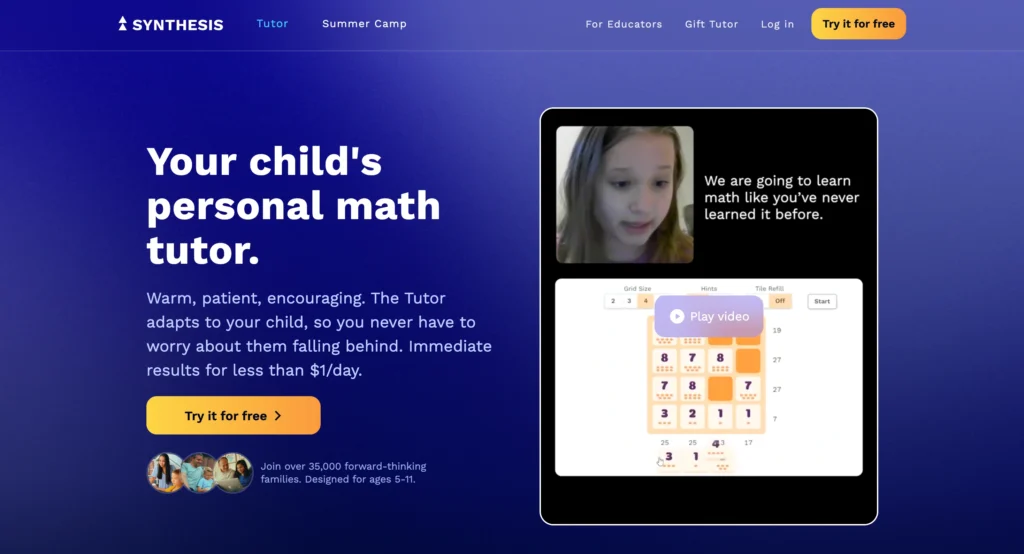
Synthesis is an AI-powered learning platform that focuses on developing problem-solving, teamwork, and decision-making skills through interactive challenges rather than traditional video lessons. Instead of passively watching lectures, learners solve real-world scenarios and collaborate with others to build practical skills. As a result, the learning experience becomes more engaging, interactive, and effective. Additionally, the platform encourages critical thinking and creativity, helping learners apply their knowledge in real-life situations.
Features:
- AI-powered learning activities
- Interactive problem-solving games
- Team-based challenges
- Personalized learning experience
Pricing: Subscriptions start at $20/month
Ideal for: Students, homeschoolers, and learners who enjoy hands-on, collaborative learning.
Offline Access: No
Best Learning Path: Synthesis Teams
Pros:
- Additionally, it develops critical thinking through real-world challenges.
- At the same time, it delivers an interactive and engaging learning experience.
- Furthermore, it encourages teamwork and collaborative problem-solving.
Cons:
- Smaller content library
- Best suited for younger learners
Verdict: ★★★★☆ (4.6/5) – Best for improving problem-solving and teamwork skills.
9. Notion AI: Organize your learning in one place
With Notion AI, a note-taking tool, you can unify note-taking techniques, knowledge management, and intelligent capabilities, allowing you to summarize your notes, create study material, develop flashcards, and manage all your knowledge.
Features:
- Intelligent capabilities
- Flashcards and study material development
- Writing assistance
- Knowledge management toolkit
Pricing:
- Free plan available
- Ability to use Notion AI in a paid manner.
Ideal for: People willing to organize their knowledge.
Offline Access: No
Best Learning Path: Build a Personal Knowledge Hub
Pros:
- Organizes notes efficiently
- AI-powered summaries
- Highly customizable
Cons:
- Learning curve for beginners
- AI requires a paid add-on
Verdict: ★★★★☆ (4.7/5) – Best for organizing study materials and personal knowledge.
Additionally, if you’re interested in creating professional AI-generated videos, check out our guide on mastering Kling AI for video creation to learn how to turn your ideas into cinematic visuals with AI. Step-by-Step Guide to Using Kling AI for Video Creation.
10. LinkedIn Learning: Learn career-ready skills from experts
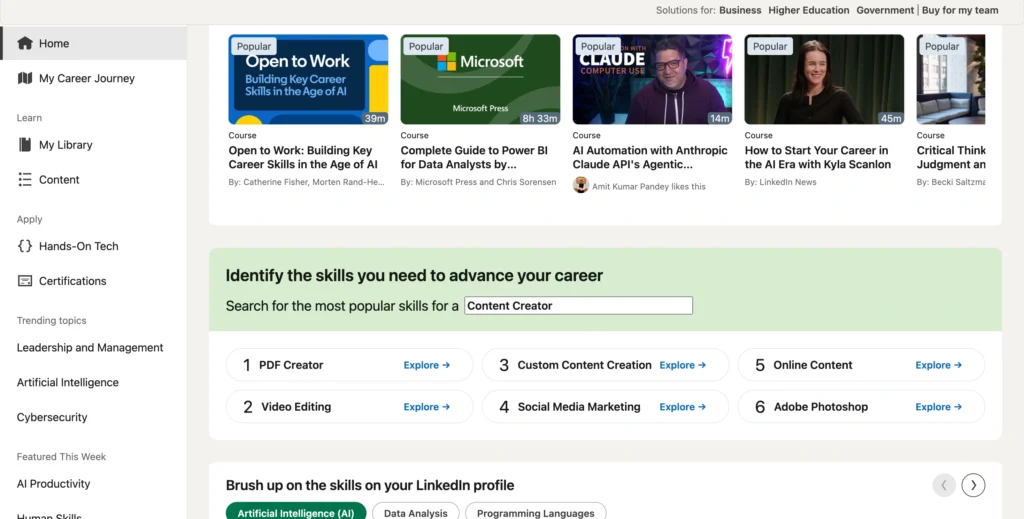
LinkedIn Learning offers thousands of online courses in business, technology, AI, leadership, marketing, and creative skills. Additionally, its personalized recommendations and expert-led learning paths help learners discover courses that match their career goals. As a result, users can build in-demand skills, earn professional certificates, and improve their resumes. Whether you’re looking to switch careers, gain a promotion, or stay current with industry trends, LinkedIn Learning provides flexible, career-focused learning for professionals at every stage.
Features:
- Expert-led courses created by industry professionals
- AI-powered recommendations for personalized learning
- Proven learning methods designed to improve knowledge retention
- Industry-recognized certificates to showcase your skills
Pricing:
- One month of free access
- Premium services starting from $39.99 per month
Ideal for: Professionals, career changers, entrepreneurs, and anyone looking to build in-demand workplace skills.
Offline Access: No
Best Course: Generative AI for Business Professionals
Pros:
- Additionally, it offers career-focused content across a wide range of industries.
- Furthermore, learners can earn professional certificates to strengthen their resumes.
- Moreover, personalized recommendations help users discover courses that match their career goals.
Cons:
- Premium subscription required
- Less academic depth than university platforms
Verdict: ★★★★☆ (4.7/5) – Best for professionals looking to build job-ready skills.
Best learning apps for complete beginners
If you’re new to online learning, it’s best to start with an app that matches your goals and offers an easy learning experience.
- Duolingo: For example, it’s best for learning languages through fun, bite-sized lessons.
- Headway: Meanwhile, it’s ideal for quick book summaries and self-improvement.
- Coursera: If your goal is career growth, it’s a great choice for beginner-friendly courses and certificates.
- Khanmigo: Similarly, it’s perfect for students who want AI-powered guidance while learning.
- NotebookLM: On the other hand, it’s best for organizing notes and studying more efficiently with AI.
Tip: Above all, start with one app and spend just 15 minutes a day. Over time, building a consistent learning habit is far more effective than trying multiple apps at once.
Which app is right for you?
Not sure which app to choose? Here’s a quick recommendation based on your learning goals:
- Budget-conscious: Choose Duolingo, Synthesis, or Coursera. Both offer free plans, making them ideal if you want to learn without spending much.
- Creative professional: Go with Skillshare or MasterClass for expert-led courses in design, photography, writing, business, and other creative fields.
- Busy executive: Headway is the best fit if you want to gain practical knowledge through 15-minute book summaries that fit into a packed schedule.
- Career changer: Coursera, Notion AI, and LinkedIn Learning are the top choices for earning industry-recognized certificates from leading universities and companies to boost your resume.
Choosing the right app depends on your goals, budget, and learning style. Start with the one that best matches your needs, and you’ll be more likely to stay consistent with your learning journey.
The truth about learning in 2026: You either keep up or get left behind
The world is rapidly changing, and the abilities that landed individuals jobs five years ago may no longer be sufficient today. Whether learning a new language, reskilling for a new career, or just becoming smarter day by day, spending only 15 minutes can create a huge impact.
As AI continues to reshape education, healthcare, sustainability, and the workplace, staying informed about its real-world impact is just as important as building new skills. You can also explore our guide to the AI for Good Summit to see how global leaders and innovators are using artificial intelligence to solve real-world challenges.
Lastly, with these five apps, there’s no reason not to begin. The only question is, which one will you attempt first?
Bookmark this page, pick one app today, and commit to just 15 minutes. Come back and tell us which one changed your routine!
FAQs
Yes! In fact, microlearning has been shown to improve both retention and engagement. By spending just 15 minutes a day on focused learning, you can gradually build new skills without feeling overwhelmed. Over time, these short, consistent sessions can lead to significant progress. As a result, many professionals use microlearning to continuously upskill while balancing work and other daily responsibilities.
Moreover, most of these apps offer free versions with limited features. However, for an ad-free experience, advanced lessons, or certifications, you may need to subscribe to their premium plans. Pricing details are included in the article above.
If you’re seeking professional development, Coursera is a good choice, as it has courses from leading universities and businesses with certification programs. MasterClass and Skillshare are also good for domain-specific knowledge and creative skills.
Some apps, like Duolingo Plus, Skillshare Premium, and Headway, offer offline access to lessons. However, Coursera and MasterClass typically require an internet connection for streaming content.
Firstly, the key to consistency is making learning a habit. Set a reminder, attach it to an existing routine (like your morning coffee or commute), and use app notifications to stay on track. Choosing an engaging app that matches your interests will also keep you motivated!
