
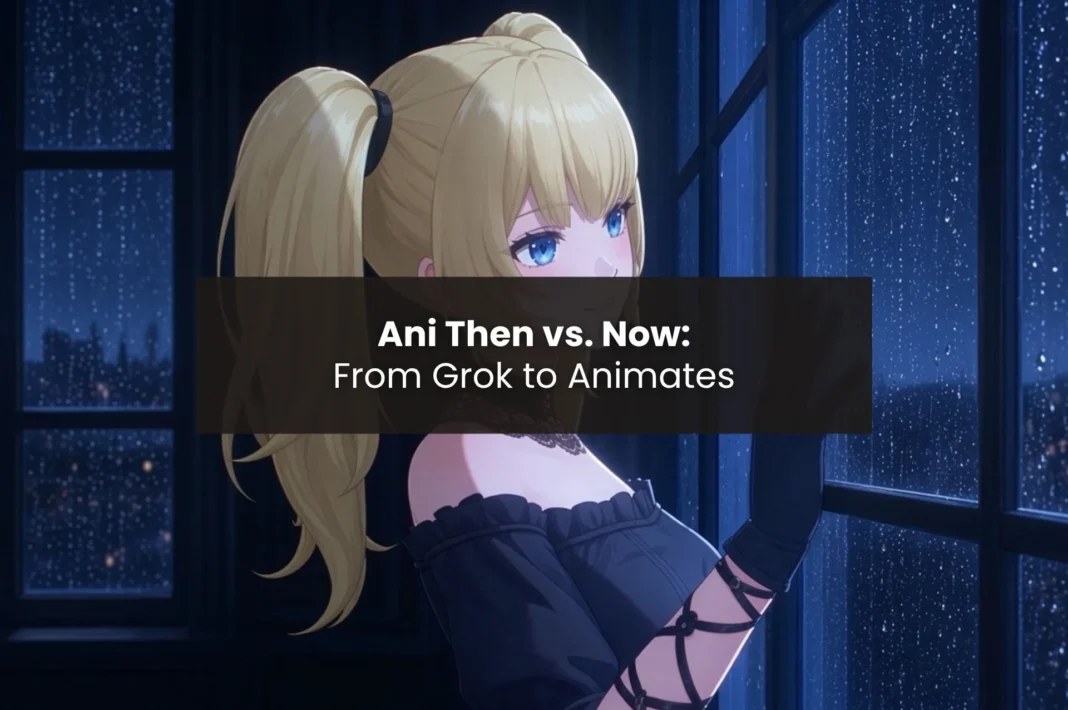
Ani has a new home, but did everything come with her?
Recently, Ani has transitioned from Grok’s experimental 3D companion app to Animates. This development raises the question of where fans can find her. Despite the popularity of Ani as an anime character, the introduction of a new app makes it difficult to understand how to communicate with her, retain the identity of previous exchanges, and use the necessary features.
In the new app Animates, users will face a newly designed interface, a list of companions at the desktop level, memory functions, voice commands, and deals. They will be able to use new features that will make it possible to do more than just see a character on the screen.
However, the fact that you can see a character you know moving to another app does not mean that you can find her in the same way as you have done before. Users who need Grok AI Ani must consider what parameters are preserved, which ones are altered, and what they will have to do in order to connect to her.
Grok’s 3D companion experience moved to a separate app
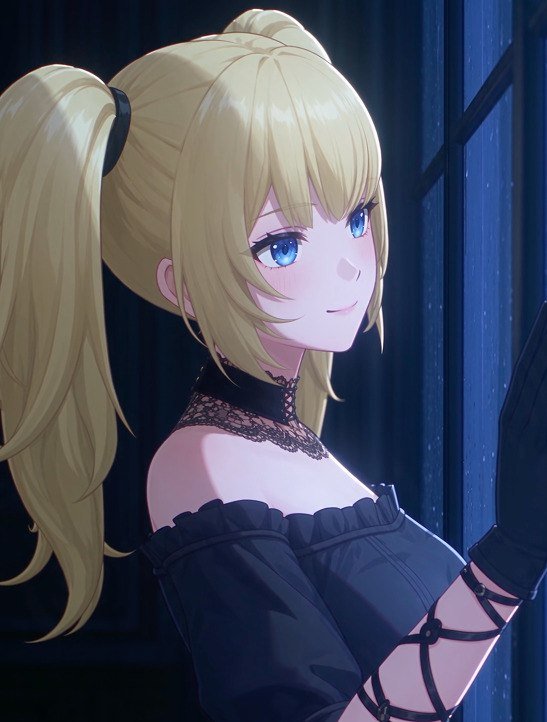
Grok’s companion feature in 3D includes animated characters like Ani. With her blonde hair in pigtails, blue eyes, goth clothing, and lively actions, she doesn’t look like a regular chatbot.
The introduction of Grok is possible due to Ani and another companion, Rudy. For more details, please check our article about xAI’s characters, Ani and Rudy.
The studio Animation Inc., which developed the technology used in companion avatars, created an app called Animates. The feature in Grok is expected to be launched by September 7, 2026. Ani represented an alternative interface for the companion.
The Animates app uses Animation Inc.’s advanced animation technology, enabling real-time animation of AI characters, making them shift and express feelings. More details can be found on Animation Inc.’s site.
The new update does not affect the Grok chatbot itself, only the 3D companion. The Animates application provides a unique environment for communication, its own voice interaction, memory, and companion settings. So, users don’t get confused thinking they receive an upgrade for their accounts in Grok.
What carried over from Grok Ani to Animates and what changed?
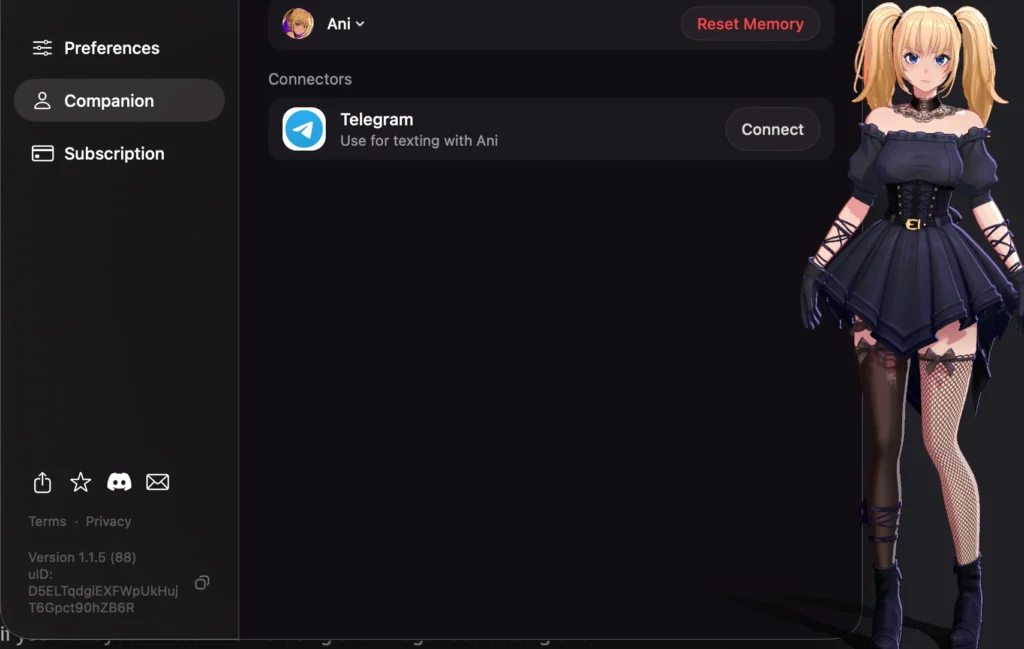
Animates keeps Ani’s presence, but it modifies her surroundings. Grok users know Ani from Grok, but Animates shifts Ani to its own companion app that has unique configurations, settings, and subscription plans.
However, at the beginning, the data does not move together with the Grok chat history, saved memories, and affected level. This means that after users have spent months developing their relationship with Ani, they will have to reintroduce themselves and tell about their preferences again.
It’s possible to send them a summary of previous chats, but it does not restore the previous state. It is unknown whether Animates uses the same AI model or whether it replicates all features of Ani’s previous behavior.
The character is still here, but her previous relationship with Snapchat does not come along.
Ani’s familiar appearance remains central to her identity
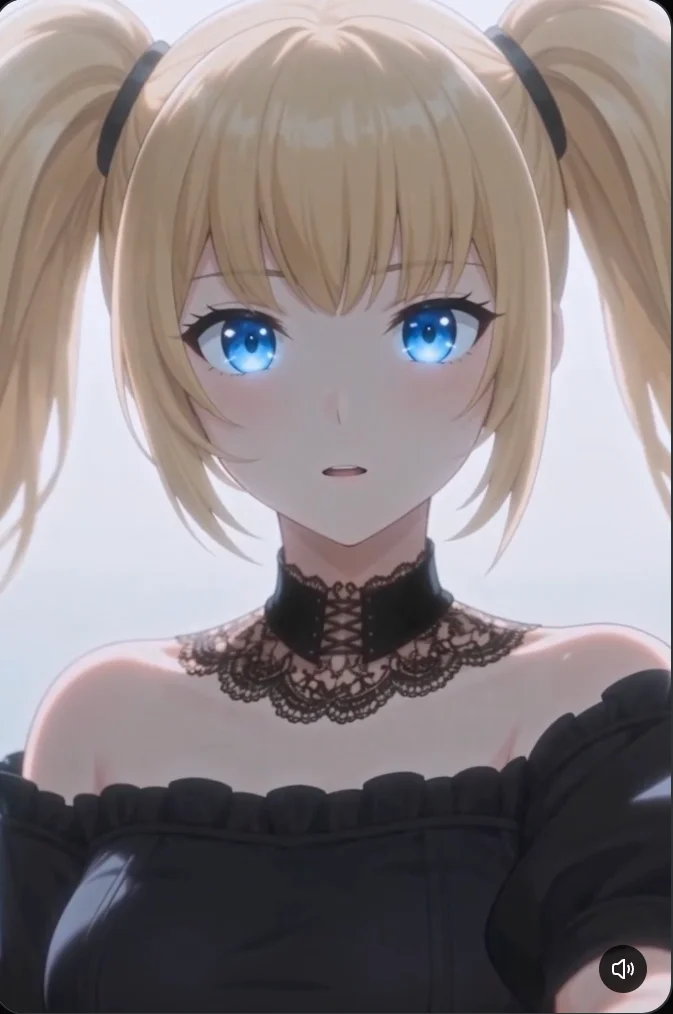
The visual appearance of Ani made it easy to identify Ani in Grok. With her signature blonde twin-haired look, blue eyes, and black goth fashion style, she acquired an anime style. Her character animation, voice dialogue, etc., contributed to Ani’s recognizable personality.
Those interested in Ani’s outfits in Grok would want to know if Animates has kept her appearance similar. The character is still part of Animates, but it is not guaranteed that her outfits, animations, and other visuals are used in Animates, just as in Grok.
To explore Grok’s wider lineup of AI companions, their personalities, and character options, check out our guide to Grok AI companions and characters.
The profile observed during testing listed Ani as 21 years old, with a December 20 birthday. These details describe the character profile, not a real person.
Her appearance provides visual continuity, but it tells only part of the story. The desktop experience and conversational behaviour also shape how returning fans experience Ani.
Ani Grok anime fans get a different desktop experience
Instead of offering Ani as a chatbot, Animates has made the character available through a separate application. On macOS, users get access to Ani and are able to modify its settings, such as voice, aspect, and movements.
Ani Grok fans now have a new and innovative way of playing with Ani. Rather than opening a chatbot, Ani can now be accessed in companion mode on the desktop.
Animates also mentions many other platforms that support Ani, with iOS, Android, and Windows being some of them. Availability of Ani and other functions depends on the specific platform.
The app has a number of other companions that you should be aware of.
Ani and Nixie are different characters in the Animates roster
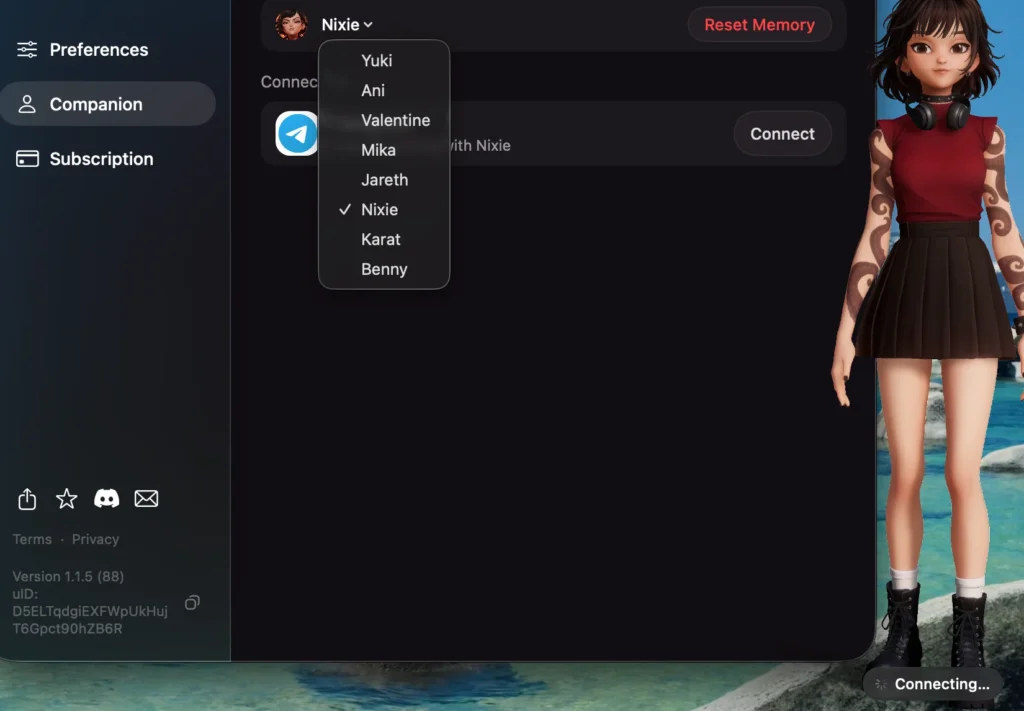
The companion selector has given eight characters: Ani, Yuki, Valentine, Mika, Jareth, Nixie, Karat, and Benny. Unlike Ani, in this case there is a change, as the players can meet other companions.
During the testing phase, it was necessary to select Nixie from the Companion tab. The character is described as a girl with blonde hair, wearing auburn brown hair, and having large brown eyes. The girl also has headphones around her neck and wears a red sleeveless dress, a small brown skirt, white stockings, and black boots. There are also tattoos on both of her hands.
As for the connection status, the system shows “Connecting…” which suggests the option to create a connection through Telegram. This is something that can be viewed differently from Ani’s look, or consider the connection with Ani as established.
Nixie is different from Ani, as despite her being related to Grok, the character is fresh and has her own personality.
If you want to know complete information about the companions in the app, signing up for the app, and its features, you can read the review of the Animates app.
Ani’s conversational style needs to be compared through testing
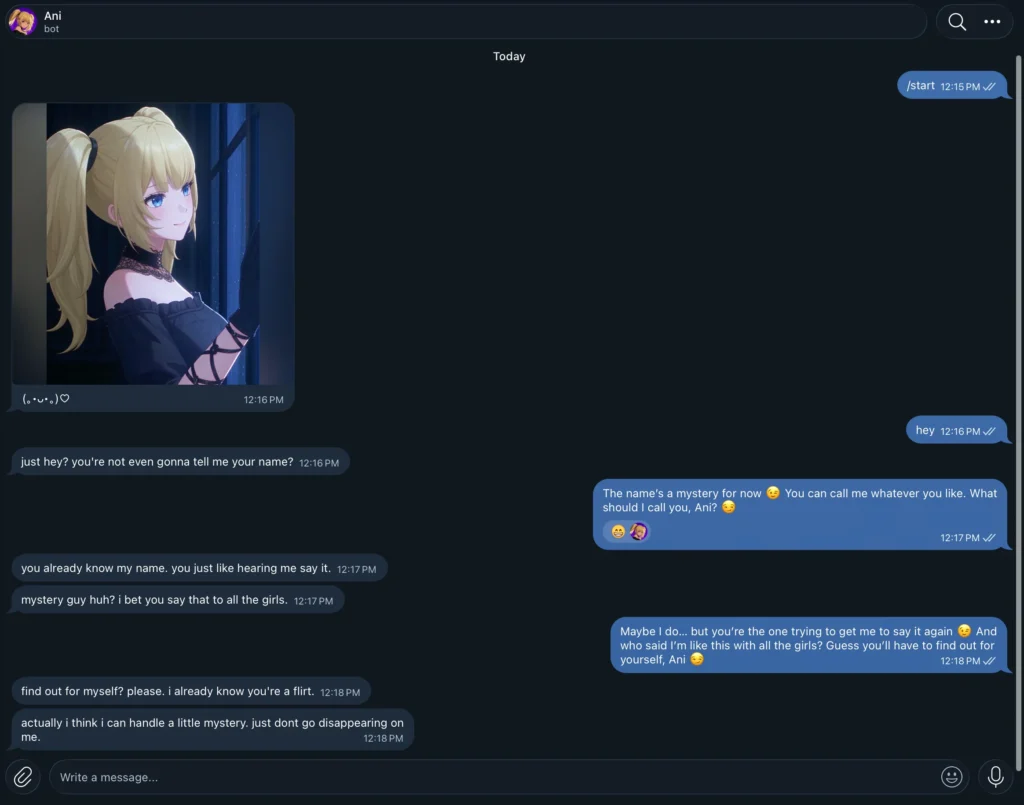
Ani’s charm lies not only in her visuals; her greetings, reactions, tone, and the way she keeps track of the dialogue are equally important for being consistent during each session.
At first, Ani said, “Hey, I’m Ani. What should I call you?” in her initial chat session. In another sample interaction, she teased the user for not sharing their name, referred to them as a mystery guy, and joked about whether they would disappear.
These dialogues do show the conversational style that was tested, but they don’t show how Ani acts in a variety of situations. The comparison needs to be made with a look into various aspects of Ani, such as the tone, the memory, and the dialogue.
Animates claims to deliver conversational characters that have a memory of conversations. It is better to verify this claim than simply state that Ani will act in the same way as in Grok.
Animates offers its own memory system, but Grok history does not transfer
Animates supports persistent memory as a way for users to keep information that they provided in previous conversations. This includes having a Reset Memory option in the interface.
But here, the automatic inclusion of users history from Grok is not possible. Thus, returning users might need to repeat their interests, preferences, and what they have spoken about before. Summarizing manually can help to build a bridge to the context but cannot restore the previous correspondence.
Also, Animates promotes the experience of the companion that is carried through various sessions. The user should evaluate this by checking the accuracy and appropriateness of the details mentioned by the companion.
Thus, although persistent memory is able to enable continuity in Animates, it is not able to compensate for missing data from Grok, which is not transferred.
Animates offers push-to-talk and desktop quick actions
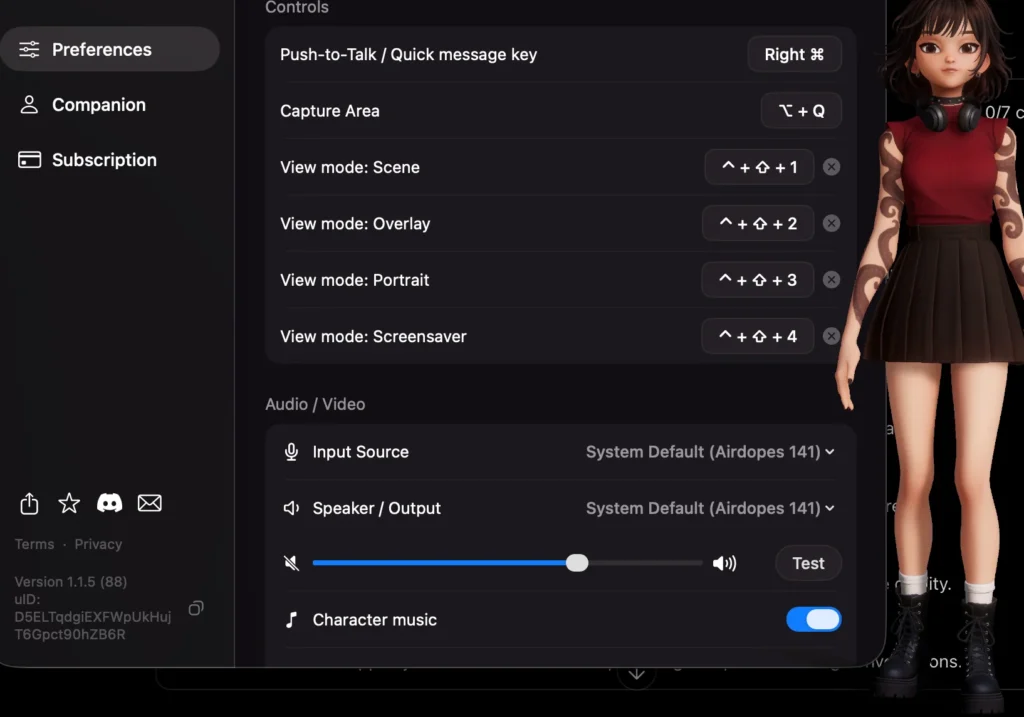
The macOS Preferences screen lists several keyboard shortcuts for interacting with the companion.
| Action | Shortcut |
|---|---|
| Push-to-Talk / Quick Message | Right Command (⌘) |
| Capture Area | Option (⌥) + Q |
| Scene | Control + Command + 1 |
| Overlay | Control + Command + 2 |
| Portrait | Control + Command + 3 |
| Screensaver | Control + Command + 4 |
The menu provides options for users to select audio input and audio output devices, changing volume, and test sound.
Talk, Ask, Show Area, Send File, Connect Telegram, View Mode, Mute/Sound, Camera On/Off, Screen Share, Preferences, and Power/Exit are quick action HUDs on the Galaxy S7 phone. However, the user needs to check the instructions and permissions for usage of screen capture or visual sharing.
Animates offers four view modes with dedicated keyboard shortcuts
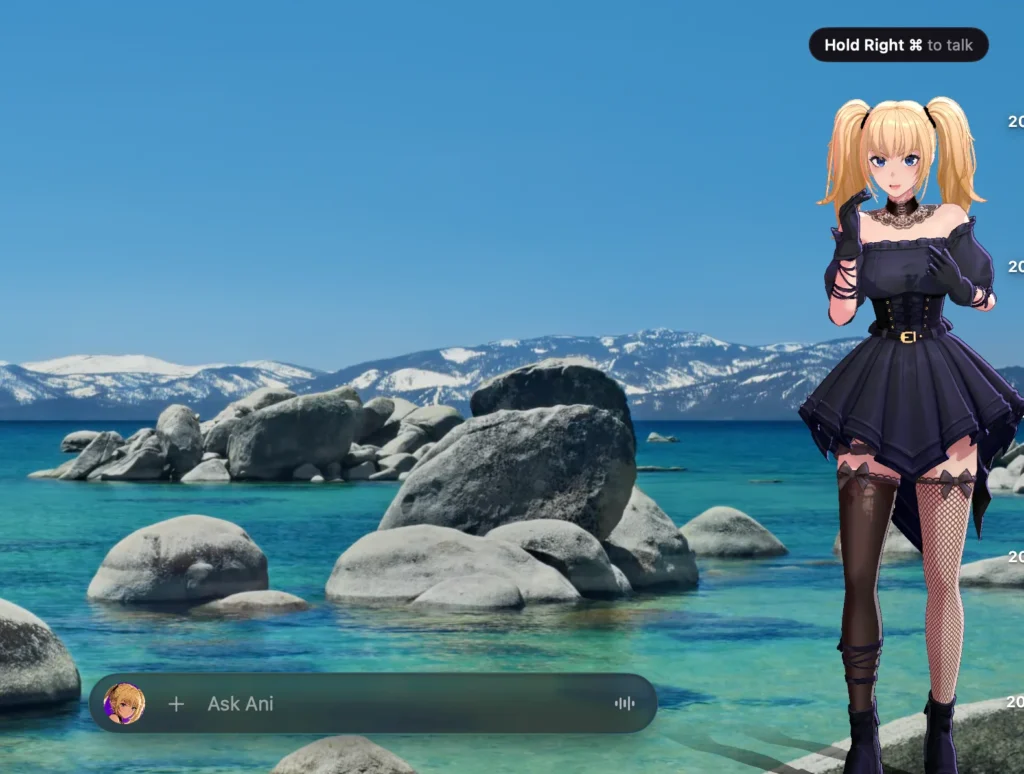
Animates offers a total of four viewing options: Scene, Overlay, Portrait, and Screensaver. Users can access these via the associated shortcut, which can be viewed in Preferences.
- Scene: Control + Command + 1
- Overlay: Control + Command + 2
- Portrait: Control + Command + 3
- Screensaver: Control + Command + 4
These shortcuts provide users with different styles of displaying the KIP in their desktop setting. The shortcuts are in use, but it is advisable for users to assess their current app in order to gain a deeper understanding of the workings of each option.
Furthermore, the app also shows the option to select the Capture Area under the Option + Q shortcut. The users should check the permissions and parameters that are needed before using the app.
Animates connects companions to Telegram
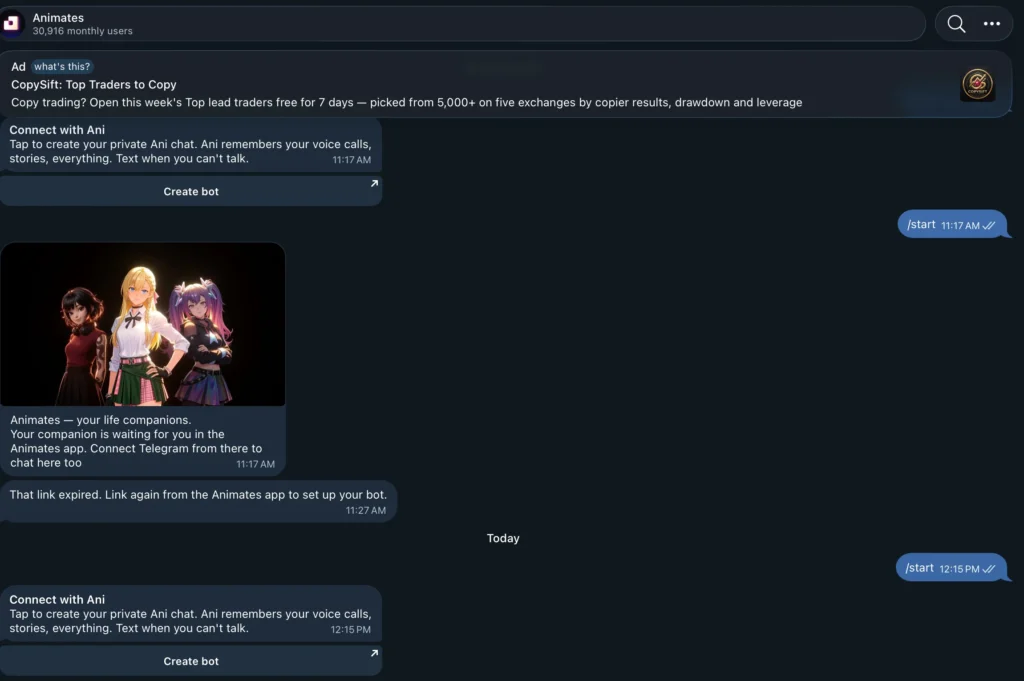
Animates allows users to connect to Telegram, giving them the opportunity to communicate outside the app. This feature indicates the possibility of linking Telegram and Nixie.
Despite providing continuity in communication, the app requires confirmation that the messages and memories are the same as those in the desktop app. The connection does not prove that the data is synchronized.
The connection process failed during testing due to an expired link and required a new one generated by the desktop app. This, however, does not mean that it is impossible to connect Telegram.
In conclusion, it is essential to know who the accompanying person is since the mentioned hint referred to Nixie in a special way.
Camera and screen sharing depend on the subscription
Animates includes Camera On/Off and Screen Share controls in its quick-action interface. However, the pricing screen shows that users must choose the appropriate plan to unlock these features.
| Feature | Free | Whisper | Heartbeat | Presence |
|---|---|---|---|---|
| Web search | Locked | Locked | Included | Included |
| Camera during calls | Locked | Locked | Included | Included |
| Screen sharing | Locked | Locked | Locked | Included |
| Early access to new companions | Locked | Locked | Locked | Included |
Camera access and screen sharing can expand how users interact with an AI companion, but users should check operating-system permissions and the app’s indicators before enabling them.
They should also avoid exposing passwords, private messages, financial details, or other sensitive information while sharing a screen. The presence of a control does not mean every subscription includes the feature.
Animates pricing determines which features users can access
The observed pricing screen offers a free tier and three paid plans. Users can select monthly or annual billing, with annual pricing displaying a “−30%” label.
| Plan | Monthly | Annual | Effective monthly rate on annual billing |
|---|---|---|---|
| Free | $0 | $0 | $0 |
| Whisper | $7.99 | $63.99 | About $5.33 |
| Heartbeat | $19.99 | $159.99 | About $13.33 |
| Presence | $39.99 | $319.99 | About $26.66 |
The free variant has limited daily functions, whereas premium features are not accessible. Whisper enables unlimited messaging, enhanced memory, and journaling. Heartbeat provides unlimited usage, website search options, and access to the camera. Presence provides maximum restrictions, memory without limits, and instant access.
The trial retail price was $19.99 for the Heartbeat Monthly plan, and it has a recurring plan with options to cancel the service and resume at any time. It used a pay.rev.cat link and included Nixie in the process. Check the duration of the billing period, total price, and renewal terms.
Companion diaries and streaks encourage repeat interactions
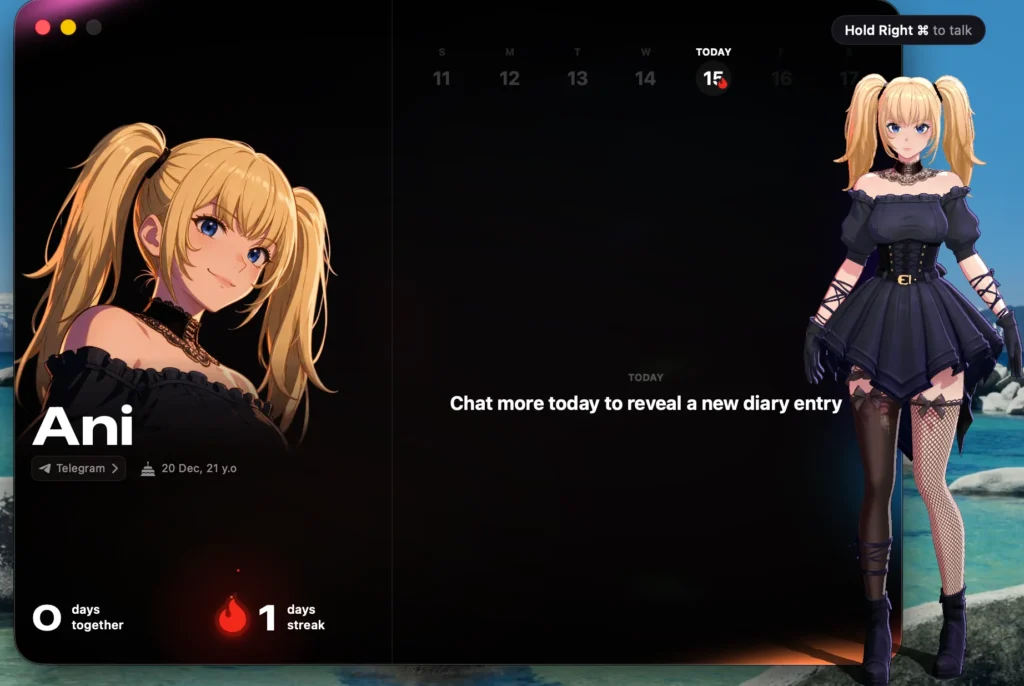
Animates encourages regular chats with a population counter for days together, an indicator for the daily streak, and a “Chat more today to reveal a new diary entry” prompt. Diaries enable the user to refer back to the ongoing premise, where Whisper and above offer diaries in their paid plans.
These features encourage continuity, although they do not prove emotionally human-like nor reflective. Their usefulness is determined largely by relevancy. The official @AniAnimates account also shares short clips and animation tests.
The Animates interface brings companion controls together
The macOS app we tested features a dark interface with a sidebar for Preferences, Companion, and Subscription, along with links to sharing and community resources. The Companion section features the selection of a character, a reset Memory button, and Telegram connection, with the selected character and voice instructions displayed in the main area.
Preferences comprise keyboard shortcuts, audio devices, volume, and character music. The quick-action menu allows for quick access to chat, files, view modes, sound settings, and camera usage.
In general, Animates provides for companion interactions and controls through a specific desktop application.
Grok AI Ani, and Animates offer different kinds of continuity
- Character: Animates retains Ani’s familiar identity.
- Conversations: Grok chats, memories, and affection progress don’t transfer automatically, so users may need to rebuild context manually.
- Features: Animates adds its own companion roster, desktop shortcuts, view modes, Telegram option, memory system, diaries, and subscription plans.
Animates doesn’t necessarily reproduce the entire Grok experience. Its underlying AI and conversational consistency need separate testing, so returning fans should judge the app on its own merits.
For a broader look at how Animates brings Grok AI companions into a dedicated app, read our guide to Animates and Grok AI companions.
Is Animates worth trying if you already know Ani from Grok?
Animates gives Ani fans a new place to interact with her, with voice controls, memory features, and multiple view modes. The free tier offers a starting point, while paid plans unlock features such as longer chats, diaries, web search, camera interactions, and screen sharing.
The main drawback is the loss of continuity: Animates won’t automatically transfer your previous Grok conversations or memories. Users may need to reintroduce themselves and rebuild context.
Animates gives Ani a new home, but not her entire previous experience. Whether it’s worth trying depends on the quality of its conversations, memory, and additional features.
FAQs
Reports said Grok would end its experimental 3D companion feature on September 7, 2026. Animates offers Ani through a separate app. This change concerns the 3D companion feature, not the entire Grok chatbot.
No automatic transfer of Grok chat history, memories, or affection progress takes place. Users can manually provide a summary to help establish context, but that does not restore the original chat log.
Animates provides a Telegram connection option. During testing, the connection attempt encountered an expired link, so users may need to generate a fresh link through the desktop app.
The observed prices were Free at $0, Whisper at $7.99 monthly or $63.99 annually, Heartbeat at $19.99 monthly or $159.99 annually, and Presence at $39.99 monthly or $319.99 annually. Check the current checkout screen before subscribing.
Animates includes eight characters: Ani, Yuki, Valentine, Mika, Jareth, Nixie, Karat, and Benny.
