
In the last few days you might have probably seen some of the amazing AI-created images being shared on sites such as Instagram or Pinterest. And most of these were generated using just one tool – ChatGPT. The new upgrade to GPT’s image generating engine is called GPT Image 2, which is why its been so much in the hype recently.
In this blog post we will take a look at how GPT image 2 operates; what factors led to it being considered superior to its predecessor; how it compares against Gemini. Furthermore, we’re going to provide you with ten different viral ChatGPT image prompts that you can use instantly to create effortless aesthetic pictures in just a matter of seconds.
Looking for even more inspiration? Browse our growing collection of AI prompts covering ChatGPT, Gemini, Claude, Midjourney, image generation, productivity, coding and more. If you want ready-to-use prompts beyond the viral image trends in this guide, explore our complete prompt library.
What is GPT Image 2 and why is there so much hype around it in the AI industry right now?
On April 21, 2026, OpenAI’s GPT Image 2 was released to succeed both GPT Image 1 and GPT Image 1.5, which had been released in March and December 2025, respectively, as the new default model for generating images in the ChatGPT and OpenAI API platforms. The previous DALL-E (versions 2 and 3) image generation models will no longer serve as fallback models as of May 12, 2026.
OpenAI’s GPT Image 2 represents much more than an incremental enhancement to previous versions. OpenAI has also rebuilt the model’s architecture from the ground up, and the model is now an autoregressive model, versus a diffusion model. In essence, GPT Image 2 generates images in the same manner that a language model generates text.
Biggest upgrades in GPT Image 2 compared to earlier versions
- Text rendering: GPT Image 2 can produce legible, correct spelling of text within images. The previous models frequently failed to create readable text within images (such as posters, signs, or labels), and frequently produced either gibberish or misspelled words.
- Photorealistic rendering: The skin texture, lighting conditions, shadows, and depth captured in photos created by GPT Image 2 exhibit much greater alignment with real-world accuracy.
- Instruction compliance: The model will follow multiple complex instructions in a prompt, while maintaining the integrity of the original prompt description, without dropping details or drifting from the description.
- Speed: There was already a significant improvement in generation speed with the introduction of GPT Image 1.5 (approximately four times greater than the original model’s speed), and the speed improvement of GPT Image 2 builds on this improvement.
- Consistency between edits: When a user uploads a photograph with a request to make a specified change, only the change requested will be modified by the model, while the structural characteristics of the entire photograph, as well as the lighting conditions present in the original photograph, will remain unchanged.
ChatGPT vs Gemini: which one wins for image generation?
Both tools are capable image generators, but they take different approaches. Here is a direct comparison:
| Feature | OpenAI ChatGPT (GPT Image 2) | Google Gemini (Imagen 4) |
|---|---|---|
| Image model | GPT Image 2 (autoregressive) | Imagen 4 (diffusion-based) |
| Text in images | Near-perfect rendering | Still inconsistent |
| Photo editing | Precise, change-only-what-you-ask | Good but less surgical |
| Photorealism | Very high | High |
| Video generation | Not available | Available via Veo |
| Free tier image limit | 2–5 images/day | Daily limit (generally more generous) |
| Paid plan | $20/month (Plus) | Included in Google Workspace ($7.20+/month) |
| Google app integration | No | Yes (Gmail, Drive, Docs, YouTube) |
| Best for | Portrait edits, text-in-image, detailed art styles | Real-time research tasks, multimedia workflows |
The brief answer: ChatGPT has the GPT Image 2 as the top photo-to-art transformation tool, with the best accuracy for converting text into an image, and for editing images. This means if your work is predominantly within the Google ecosystem, or you want to create videos, then Gemini has the advantage.
10 viral ChatGPT image prompts you can try on your own photo
The prompts listed below are performed by uploading a photo of yourself into ChatGPT, followed by copying and pasting the prompt into the input area of GPT Image 2. The prompts below are set up for transforming your photo into an artistic piece of artwork. Simply upload a clear photo of yourself, and the model will use your facial features and surroundings as a starting point.
1. Doodle aesthetic
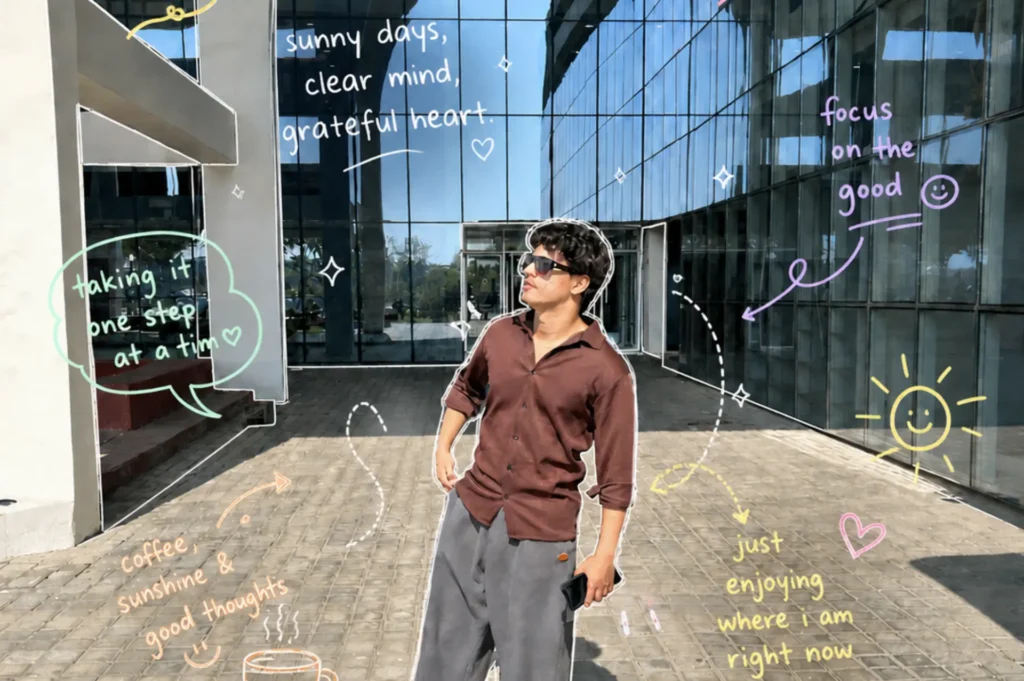
This prompt can change your ordinary picture into a cute doodle aesthetic. This prompt adds visuals like dreamy, diary-core visual with hand-drawn doodles layered on top.
Prompt you can copy and use:
Turn this photo into a Pinterest-style aesthetic scrapbook edit with colorful pastel hand-drawn doodles and handwritten notes overlayed on the image. Keep the original photo realistic while adding thin sketchy single-stroke lines like gel pen doodles. Style: casual, relaxed, effortlessly cool. Soft pastel colors (pink, lavender, mint, yellow, peach, sky blue, white). Imperfect rough hand-drawn style. Clean composition with some negative space. Add outlines around the person and architecture, arrows, dotted paths, sparkles, clouds, hearts, smiley faces, stars, flowers, steam doodles, layered scribbles around empty spaces naturally, different pastel pen colors for each doodle/text. Text: handwritten lowercase journal-style notes. Short sweet positive phrases like: “sunny days, clear mind,” “right place right time ♡,” “just enjoying where i am right now,” “good day good mindset.” Overall vibe: dreamy, artsy, candid, diary-core, social-media aesthetic, stylish but not overcrowded.
2. Mini Me world
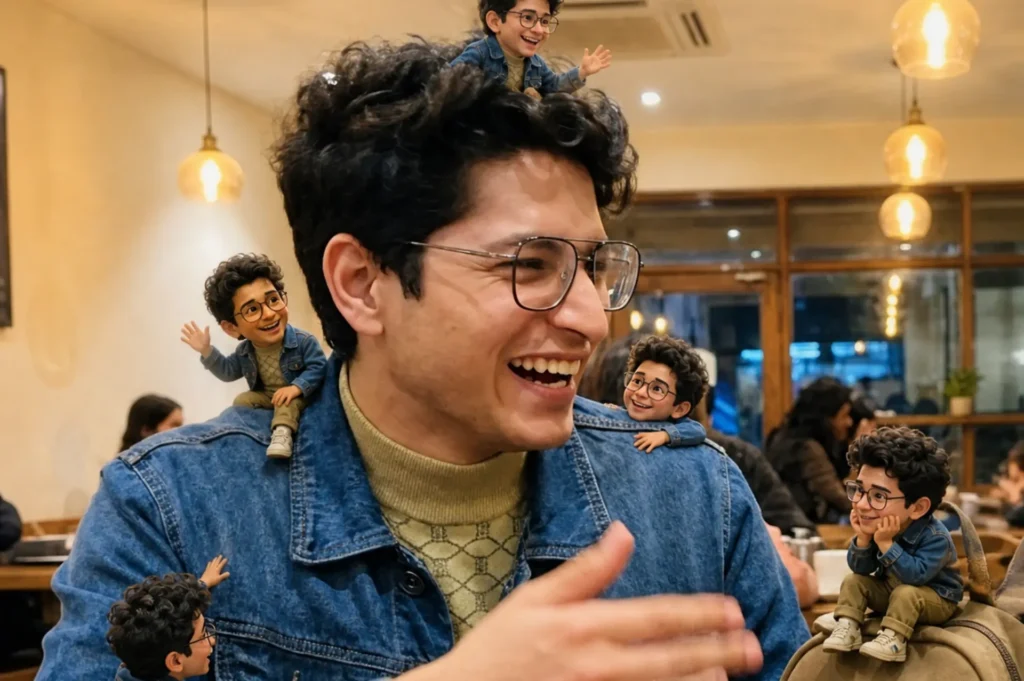
One of the most fun and creative trends at this moment is taking a photo of yourself and then making little 3D versions of that person that float around the photo.
Prompt you can copy and use:
Turn this photo into a magical “Mini Me” world where tiny animated versions of yourself come to life around you. These cute 3D-style mini characters interact with your everyday surroundings, climbing onto your shoulders, sitting on your bag, waving, playing, and copying your poses, creating a playful yet emotional social media story-worthy scene full of personality and story. The original photo remains untouched while the tiny characters bring the image to life with depth, movement, realistic shadows, and a soft aesthetic vibe.
3. Scribble art
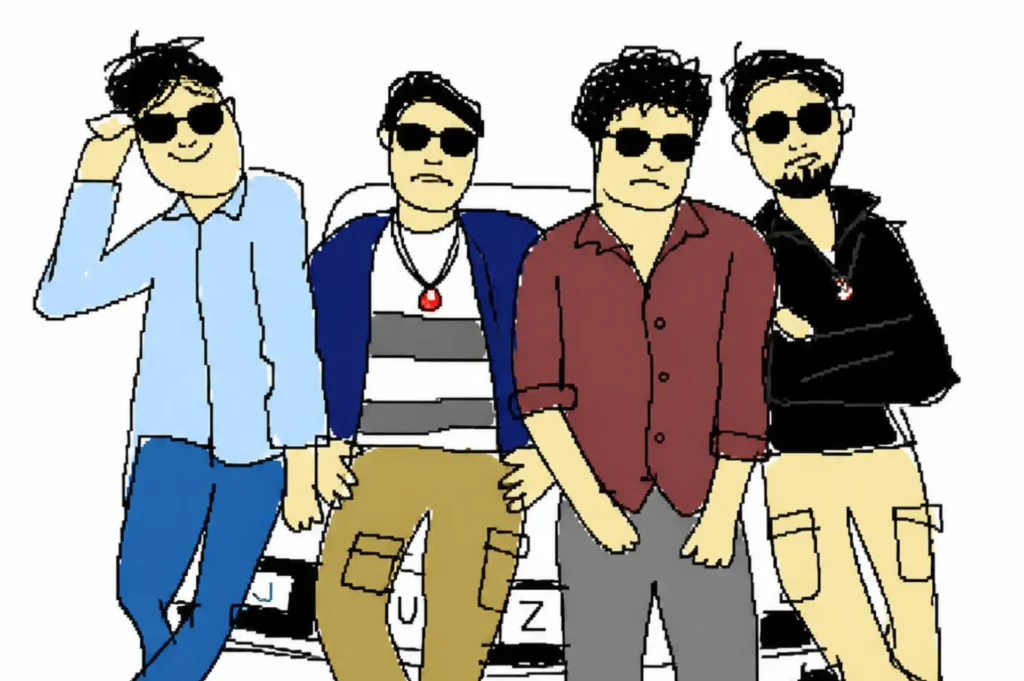
This is super funny. The prompt tells ChatGPT draw the worst, most horrible version of the photo provided, so the results are just dumb and silly.
Prompt you can copy and use:
Redraw the attached image in the most clumsy, scribbly, and utterly pathetic way possible. Use a white background, and make it look like it was drawn in an old computer painting program with a mouse. Furthermore, it should be vaguely similar but also not really, kind of matching but also off in a confusing, awkward way, with that low-quality pixel-by-pixel feel that really emphasizes how ridiculously bad it is. Actually, you know what, whatever, just draw it however you want.
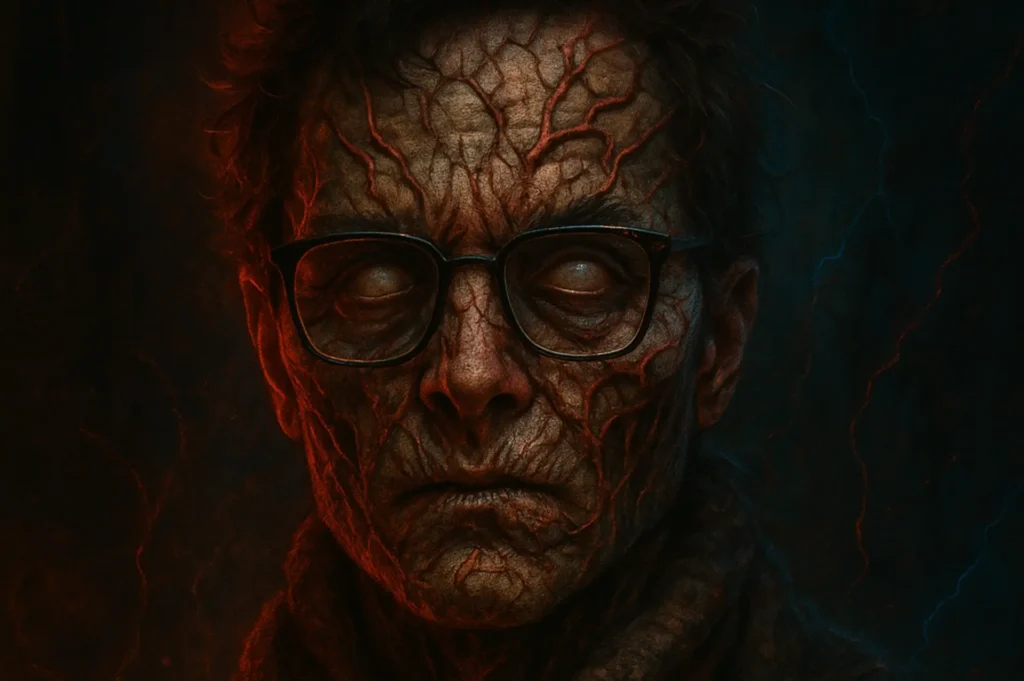
4. Vecna style portrait
This prompt creates a detailed, well-designed dark, cinematic piece of art that resembles a Netflix Stranger Things poster. Additionally, if you want any text in the image you can prompt ChatGPT to add the same.
Prompt you can copy and use:
A dark, ultra-detailed cinematic portrait in the style of Stranger Things, cursed by Vecna from the Upside Down. Skin cracked and veiny with glowing red fissures spreading across the face and neck. Eyes pale, lifeless, and clouded white. Dark textured coat, thick scarf. Background: the Upside Down with black-red fog, floating dust particles, eerie smoke, and faint red lightning vein patterns in the shadows. Dramatic horror lighting with strong red rim light on one side and cool blue cinematic shadows on the other. Hyperrealistic skin texture, cinematic film grain, supernatural horror atmosphere, Netflix-style poster composition, centered close-up portrait, dark moody aesthetic, ultra realistic, 8k. Negative prompt: cartoon, anime, 3D render, low quality, blurry, deformed face, bad anatomy, extra fingers, watermark.
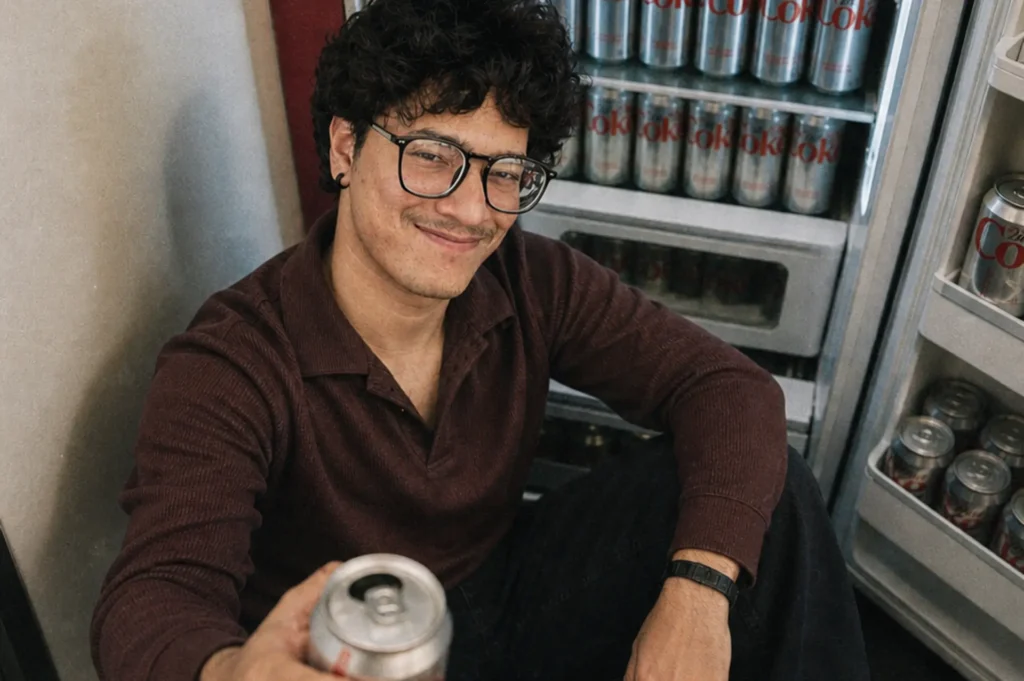
5. Diet Coke aesthetic
This prompt creates a lifelike, realistic look book editorial style photograph with a lot of depth and a very moody feel to it. You can use any product as your prop. Here we have used diet coke.
Prompt you can copy and use:
A realistic candid photo of a person with curly hair and black-framed glasses, sitting on the floor in front of an open refrigerator filled with neatly stacked silver soda cans. Camera angle slightly top-down, casual and intimate. Wearing a fitted dark maroon textured shirt, black jeans, and white sneakers. Holding a Diet Coke can toward the camera in the foreground, slightly out of focus, adding depth. Facial expression: relaxed with a subtle confident smile. Fridge light softly illuminates the scene. Add subtle film grain, soft shadows, natural skin texture, and a slightly muted cinematic color grade for an aesthetic, editorial look.
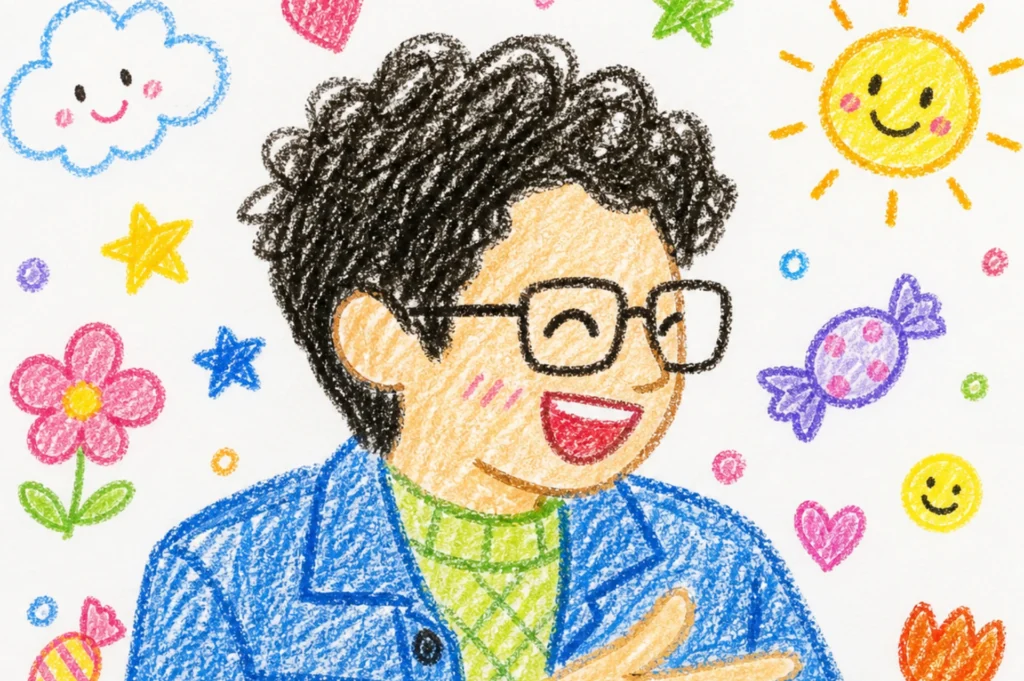
6. Crayon-style drawing
This prompt transforms any photo into an illustration drawn by a crayon-based young child in a fun way that you would want to share with your friends.
Prompt you can copy and use:
Turn the whole image into a crayon-style drawing. Simplify the details so it looks like something a 10-year-old would draw. Don’t use the original colors from the photo. Make it look like it’s drawn on white paper, with a very cute and playful feel. Add adorable elements like flowers, candy, stars, clouds to make it look more childlike and innocent.
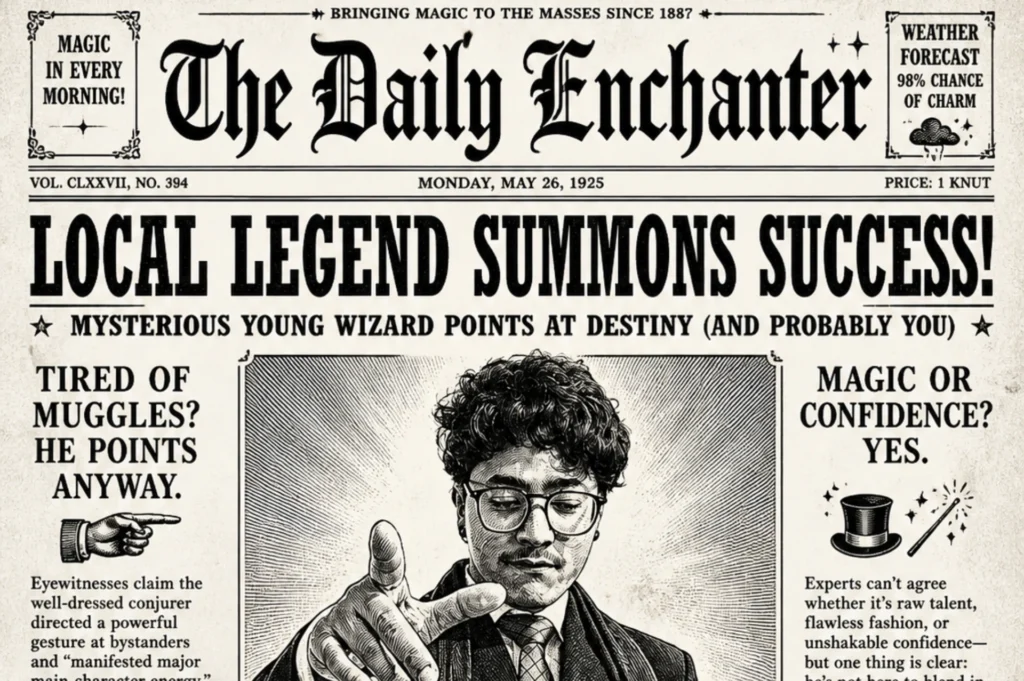
7. B&W vintage newspaper
Oddly enjoyable, dreamlike, and insane! Your picture will be depicted on a front page of a super cool traditional newspaper with a comic theme.
Prompt you can copy and use:
Transform the person in the uploaded photo into a whimsical black-and-white vintage newspaper front page. Place them as the main portrait in the center, styled like an old engraved photograph. Surround them with bold, exaggerated headline text, narrow newspaper columns, and playful subheadings. Use high-contrast black ink on pure white background, subtle paper texture, and classic serif fonts. Add quirky, magical, or humorous headlines to create a charming, slightly surreal tone. Keep the layout dense, editorial, and reminiscent of an old fantasy newspaper. Ensure the subject’s face remains recognizable but stylized to match the printed newspaper aesthetic.
8. Anime character art
Bright and bold! This prompt creates an anime-style transformation with colourful characters and dynamic character designs.
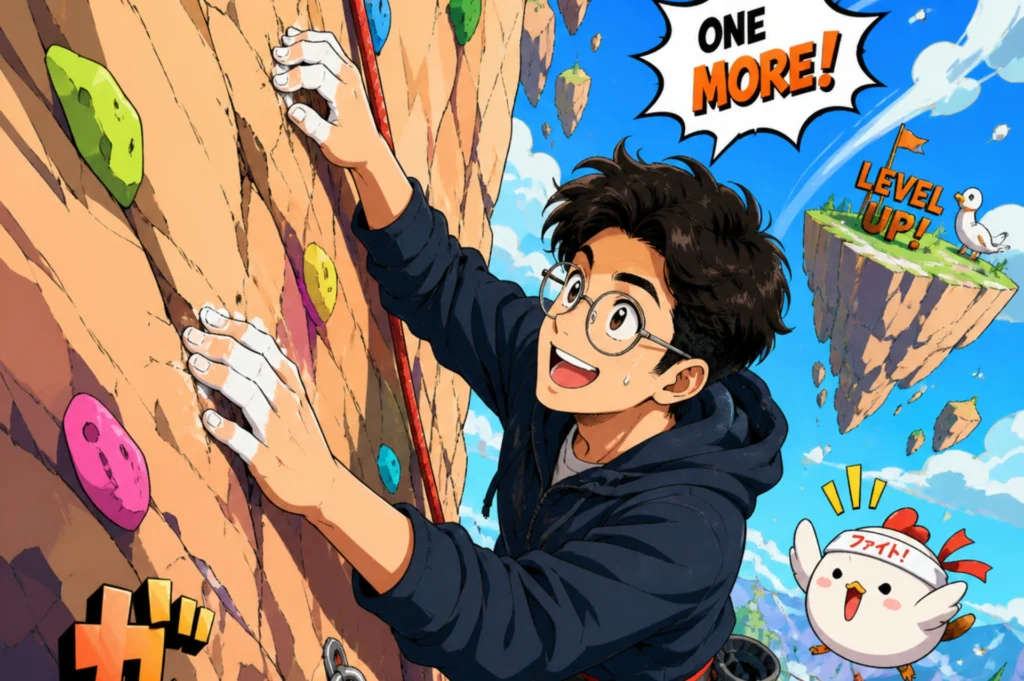
Prompt you can copy and use:
Create a trending anime art style image from the uploaded subject. Use confident line-work with slight variation and minimal cel shading using flat shadow shapes. Bright, saturated colors and clean graphic lighting. Exaggerated cartoonish character proportions, highly expressive and simplistic facial features, highly varied stretched anatomy. Transform the environment into a slightly warped space with playful perspective distortion and simplified objects. Composition and tone: energetic, lively, comedic, fully stylized and non-realistic.
9. Comic strip
Three panels telling one story – Classic setup – repeat – then switch, illustrated in retro hand-drawn manga style.
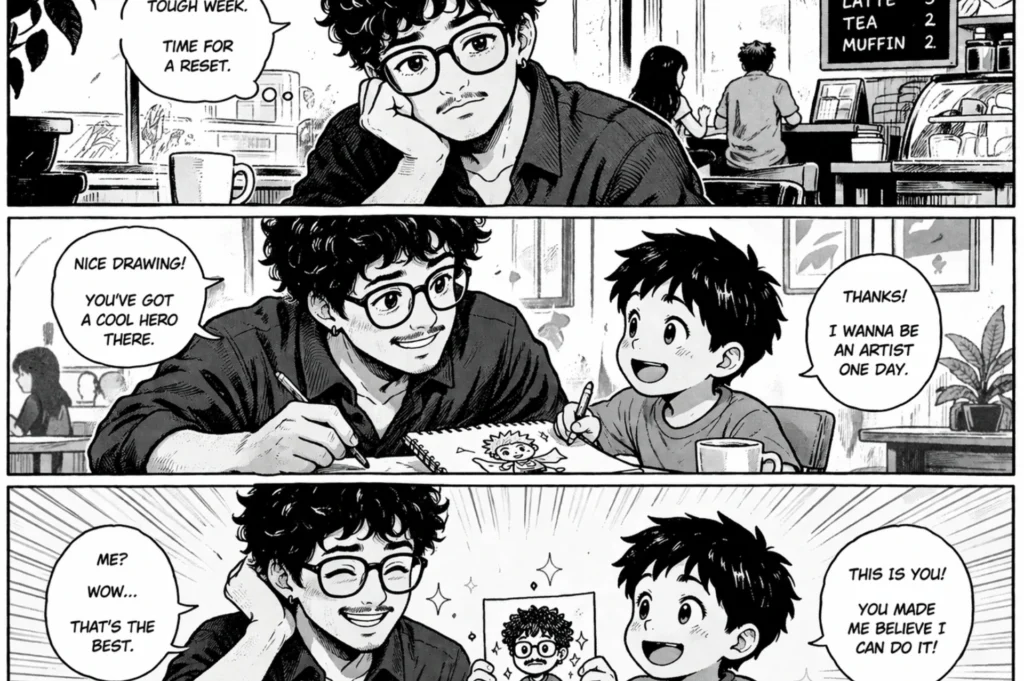
Prompt you can copy and use:
Create a wholly original, simple black-and-white comic strip in a retro hand-inked manga style. Use 2–3 horizontal panels. Treat the uploaded image as the character reference. In addition, redraw the character entirely in manga form with consistent line work and shading across every panel. Interpret the person as the main character and, based on their appearance, generate an uplifting encounter with a clear “setup-reinforce-turnaround” structure: first panel establishes context, second develops the situation, third delivers a surprise twist. Keep the dialogue short, natural, and upbeat. No technology.
10. 16-bit game
This prompt will generate an entire pixel art game screen complete with HUD, game title, and climactic moment all using your uploaded photo as a model.
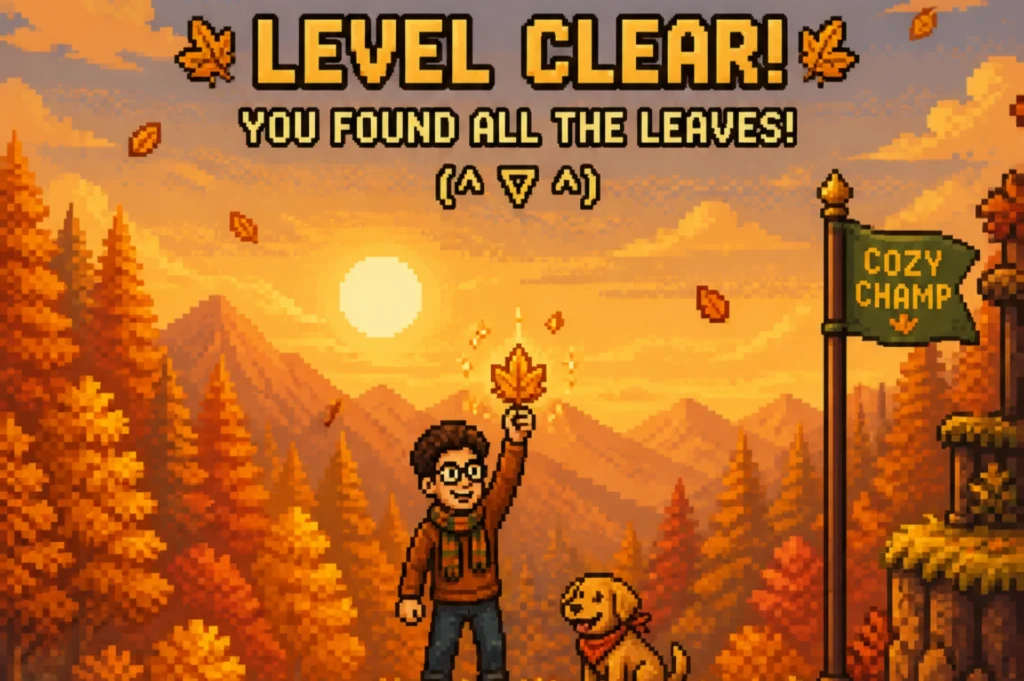
Prompt you can copy and use:
Using the subject(s) in the uploaded image as inspiration, create a single frame image from a story-driven 2D side-scrolling pixel art game. Translate the image’s themes, colors, or subjects into the game world. The scene should capture a climactic, victorious moment in a non-violent, uplifting, or humorous way. Style: detailed retro pixel art (16-bit), with clear silhouettes and a cohesive color palette. Vertical image showing the full game screen. Additionally, include a classic HUD at the top with a funny, original game title inspired by the image. The frame should feel like gameplay in progress, with a character, environment, and a clear sense of action or objective. All elements contained within the game screen.
Key Takeaways
There are now many possibilities for what you can create with just one photo after uploading it to ChatGPT using the new GPT Image 2 model. For example, this range of possibilities is shown through the various image prompts in the categories of fun (scribble and crayons), cinema (Vecna and Diet Coke), and nostalgic (i.e., 16-bit videogame and vintage newspaper).
Additionally, free users may generate 2-5 of these image outputs daily as per CometAPI, while those who have a paid subscription to ChatGPT Plus can produce approximately 50 images every 3 hours.
All in all, the outcome of the specified detailed prompts demonstrates that specific, detailed information yields high-quality, shareable, and compelling image outputs. When the same is compared with unspecific prompts that are used for image creation. If you want to improve your own prompts further, check out this guide for writing effective AI image generation prompts.
FAQs
A viral ChatGPT image prompt is a detailed instruction that turns your photo into a trending style, like Studio Ghibli, Pixar, LEGO, or an action figure.
Yes. With the right prompt, ChatGPT can create eye-catching images that are perfect for Instagram and other social media platforms.
Yes, prompts are free to use. However, image generation limits depend on whether you’re using ChatGPT’s free or paid plan.
Yes. ChatGPT’s image generation is powered by GPT-4o, which can create and edit images from text prompts and uploaded photos.
They’re trending because they let anyone create fun, shareable images in seconds, making it easy to join the latest social media trends.
